Sync CostPocket Cards with Merit
Last updated July 15, 2026
To keep bookkeeping accurate and automated, card transactions need a "landing spot" in Merit Aktiva: create a dedicated bank account there, then link it in CostPocket's integration settings.
Before You Begin: Choose Your Reporting Method
Decide how you want CostPocket to send your card transactions to Merit Aktiva. There are two reporting methods available:
- Single Expense (Default): Documents are sent to Merit Aktiva immediately after they are matched with a payment.
- Card Report: Documents are compiled into a single report. The entire report is sent to Merit Aktiva only after all containing documents and payments have been completed and submitted.
To change this setting, go to Settings > Other services > Card payment reconciliation > Reconciliation method.
Step 1. Create the account in Merit Aktiva
- Log in to Merit Aktiva and go to Payments > Banks > Add Bank.
- Name the account — we recommend "CostPocket Cards" to keep it distinct from your main business account.
- Untick "Print on invoice" so this account does not appear on your outgoing sales invoices.
- Save the account.
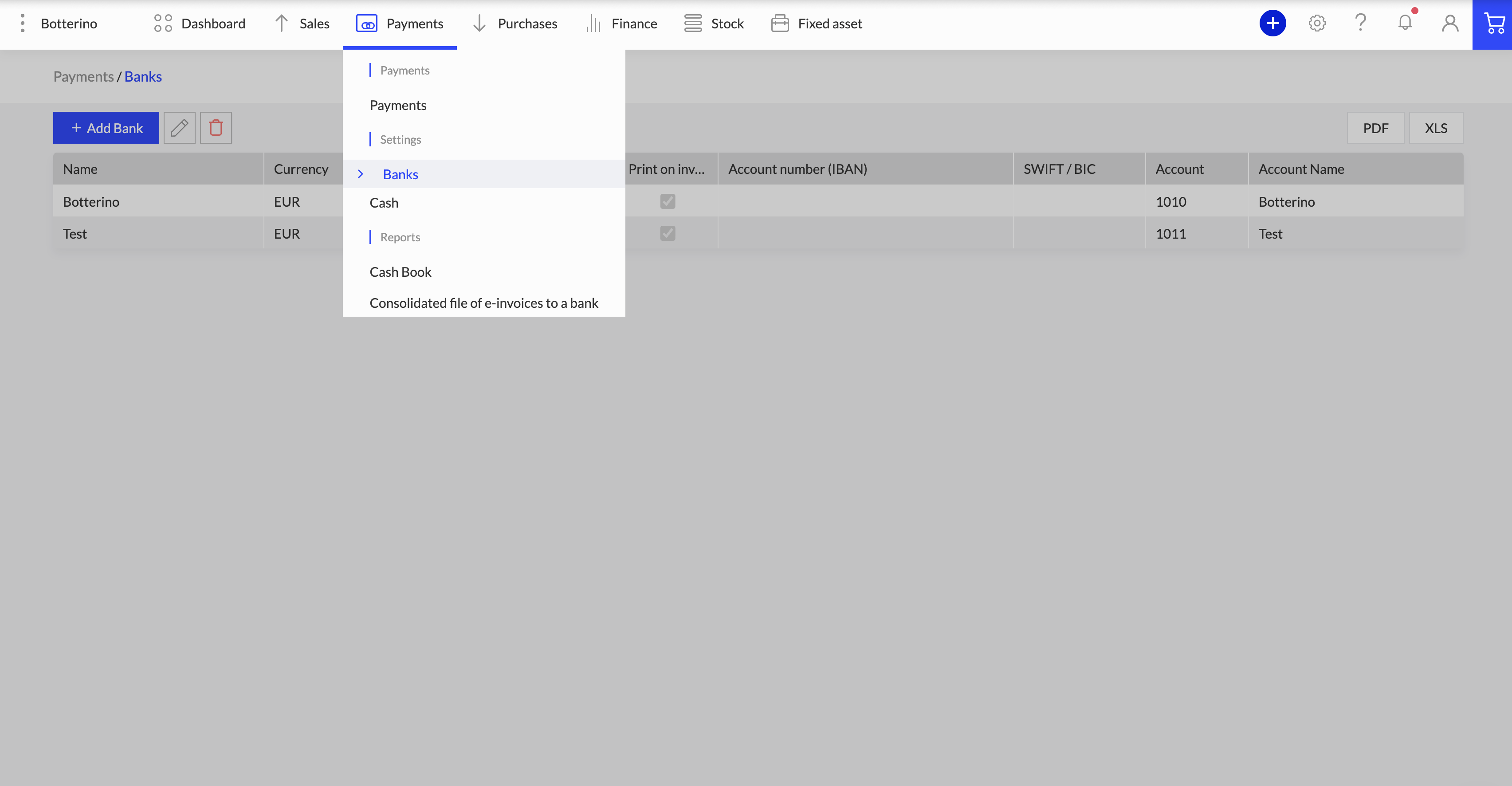
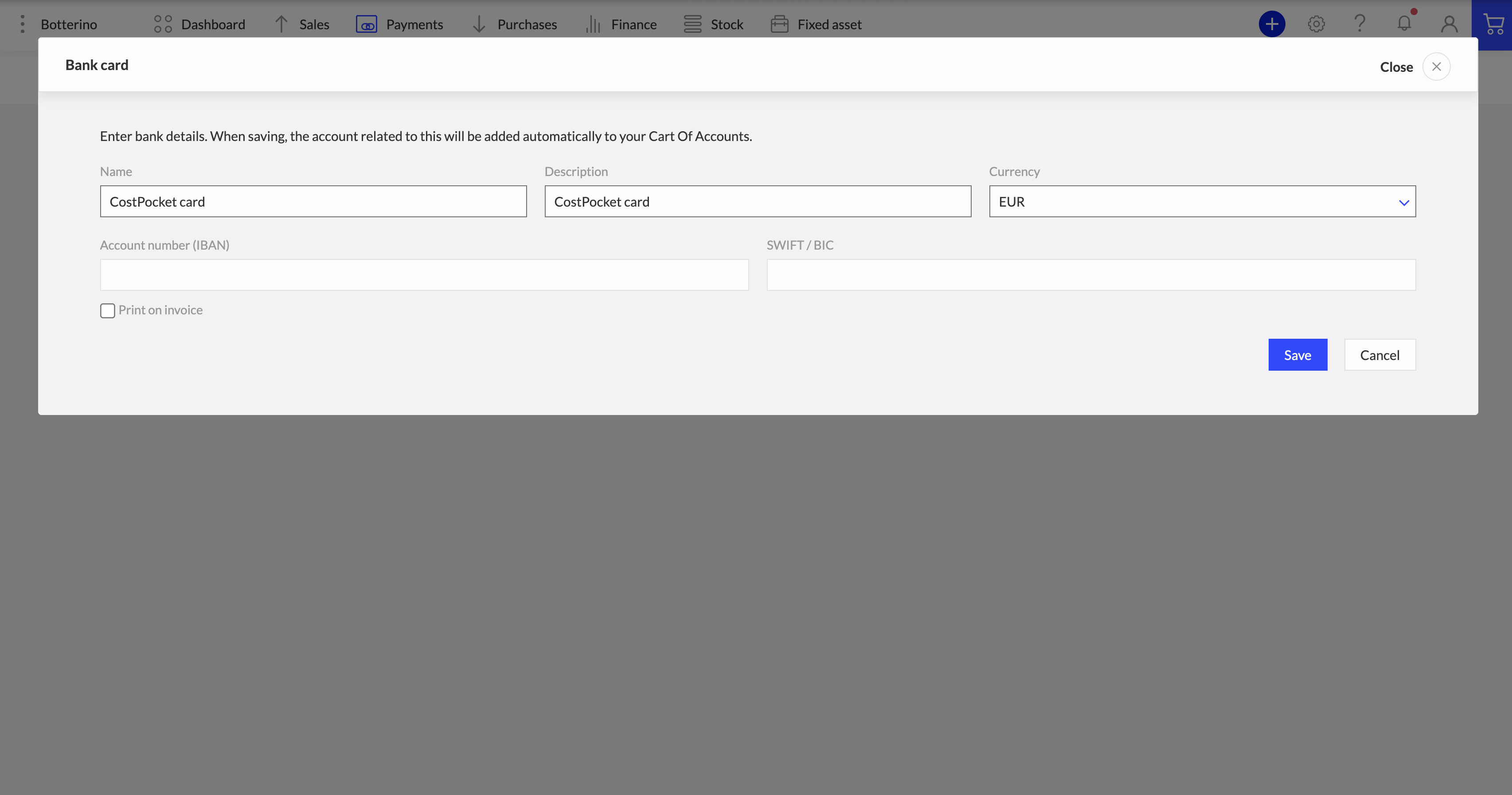
[Image alt text] "Adding a CostPocket Cards bank account in Merit Aktiva with Print on invoice unticked"
Step 2. Link the account in CostPocket
- In CostPocket, go to Settings > Integrations > Merit Aktiva.
- Select the CostPocket Cards bank account you just created as the Bank account.
Once linked, all card transactions are automatically categorised under this payment method in Merit Aktiva.
Step 3. Record top-ups correctly
When you move money from your main business bank account to your card account, record it in Merit Aktiva as a transfer between bank accounts. The CostPocket Cards account balance then increases with top-ups and decreases as receipts come in — keeping your ledger perfectly reconciled at month end.
Frequently asked questions
Why a separate bank account in Merit? It keeps card spending distinct from your main checking account, so the ledger balances cleanly and card expenses are easy to audit.
What if the balances don't match at month end? Check that every top-up was recorded as a bank-to-bank transfer and that all card receipts were submitted - the payment card reports in CostPocket highlight transactions with missing documents.