Issue payment cards
Last updated July 15, 2026
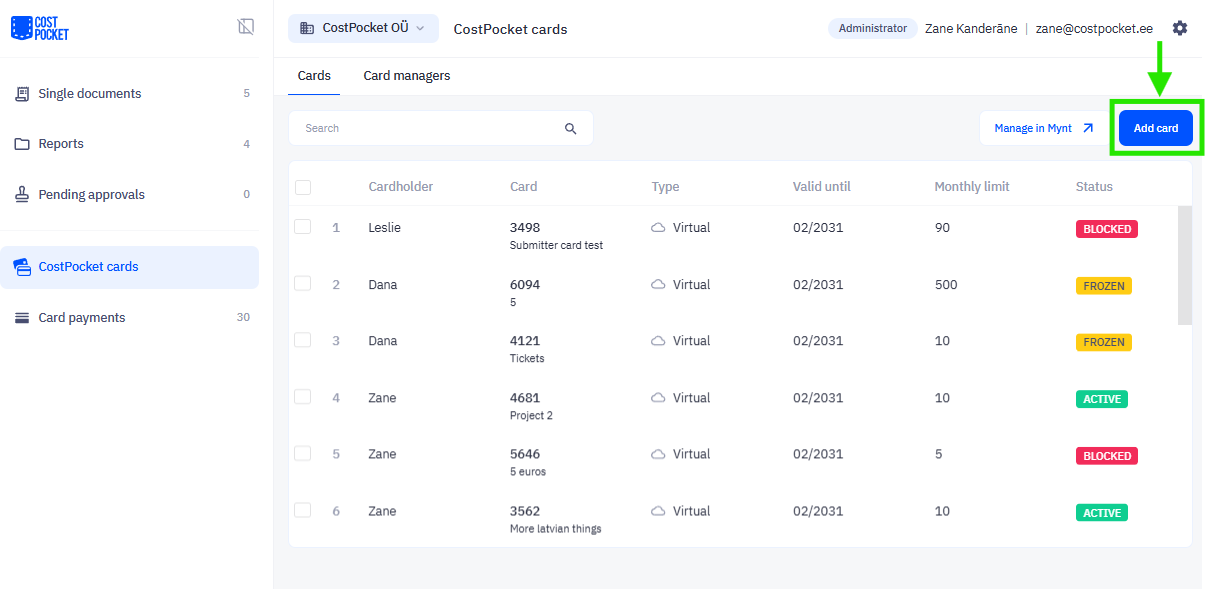
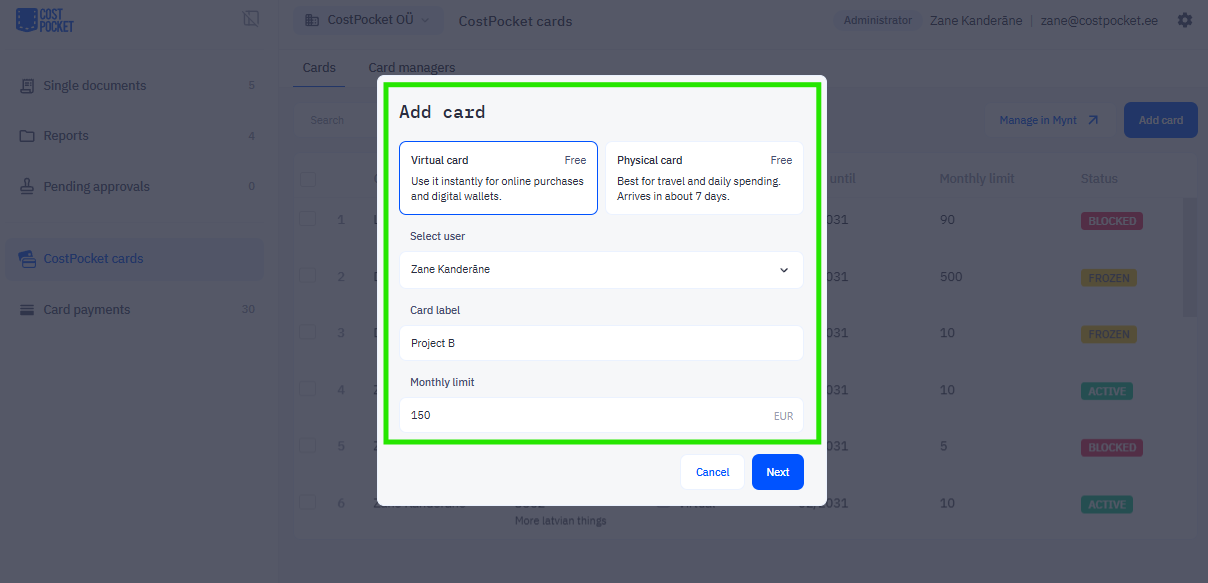
Card managers issue cards to users in the CostPocket app or Cloud under CostPocket Cards > Add card. Virtual cards are ready instantly; physical cards are shipped to the address you provide.
When issuing a card, you choose:
- Type: virtual (instant) or physical (shipped)
- Label: a name for the card
- Limit: the monthly spending budget
- Address: only needed for physical cards delivery
Once issued, the user is notified by email and can view the card in the CostPocket mobile app under Settings > CostPocket Cards.
Managing cards after issuing
- Cardholders can freeze their card or view full card details (such as the CVV) in the CostPocket app or the Mynt app. How to manage your card.
- Card managers can adjust spending limits, freeze, or terminate any card through CostPocket or Mynt. How to manage team cards.
Frequently asked questions
How fast does a new employee get a working card? A virtual card works immediately after issuing; a physical card arrives within about 7 days.
Can I change a card's limit later? Yes, card managers can adjust limits at any time without reissuing the card.