Integration with Merit Aktiva
Last updated July 15, 2026
Connect CostPocket with Merit Aktiva (and Passeli Merit) by activating the integration inside Merit Aktiva's settings — it takes two clicks. Digitised receipts, invoices, and reports then arrive in Merit under Purchases > Unapproved invoices.
Merit Aktiva is Estonia's most widely used accounting software. Learn more on Merit's website.
Connect the integration
- Log in to Merit Aktiva and choose the company you want to connect.
- Go to Settings > Settings of e-invoices and other integrations.
- Scroll to the bottom of the page and press Activate next to CostPocket.
- Open CostPocket (iOS, Android, or Cloud) and log in or register with the same email address you use in Merit Aktiva. You are added automatically as the administrator of the company account and can then add users.
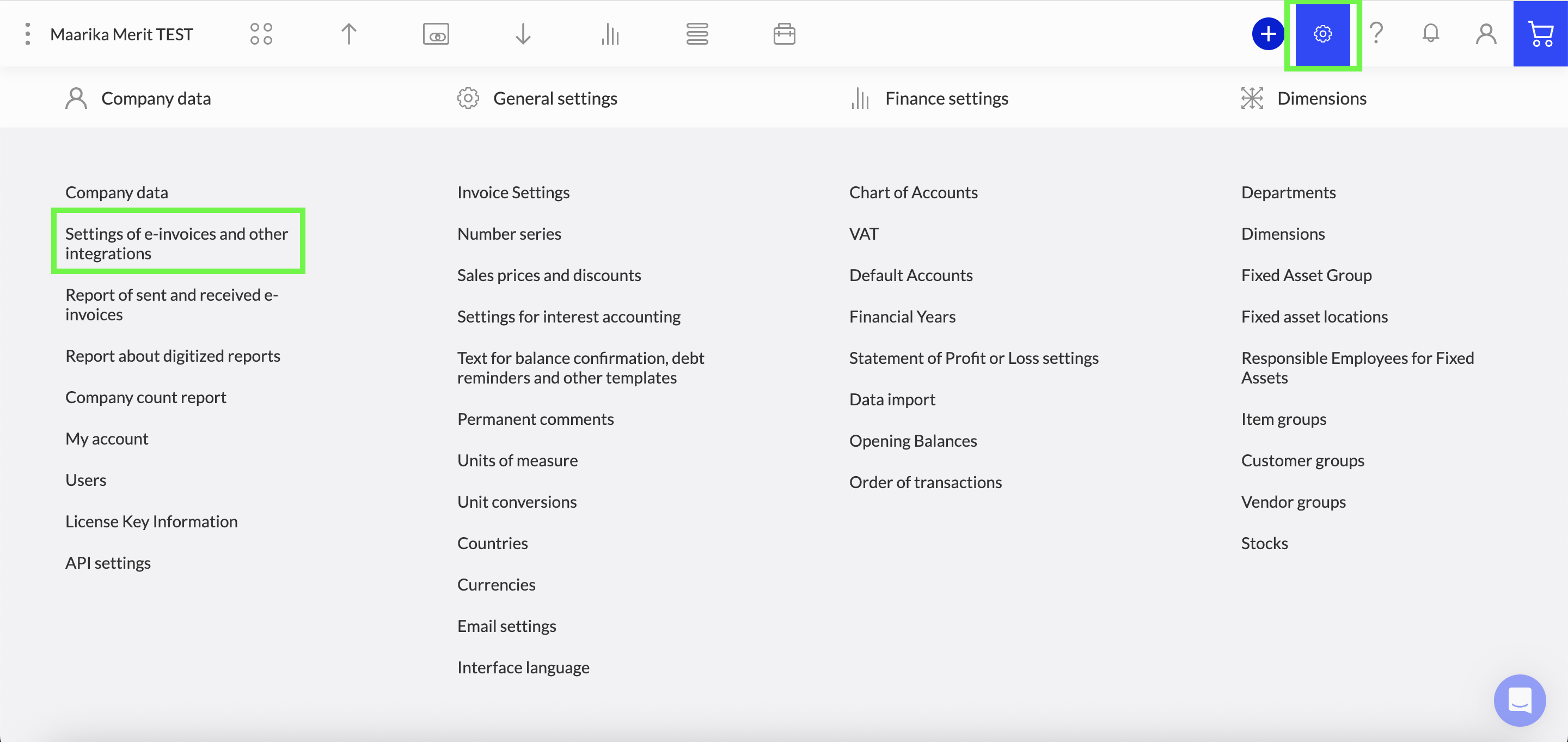
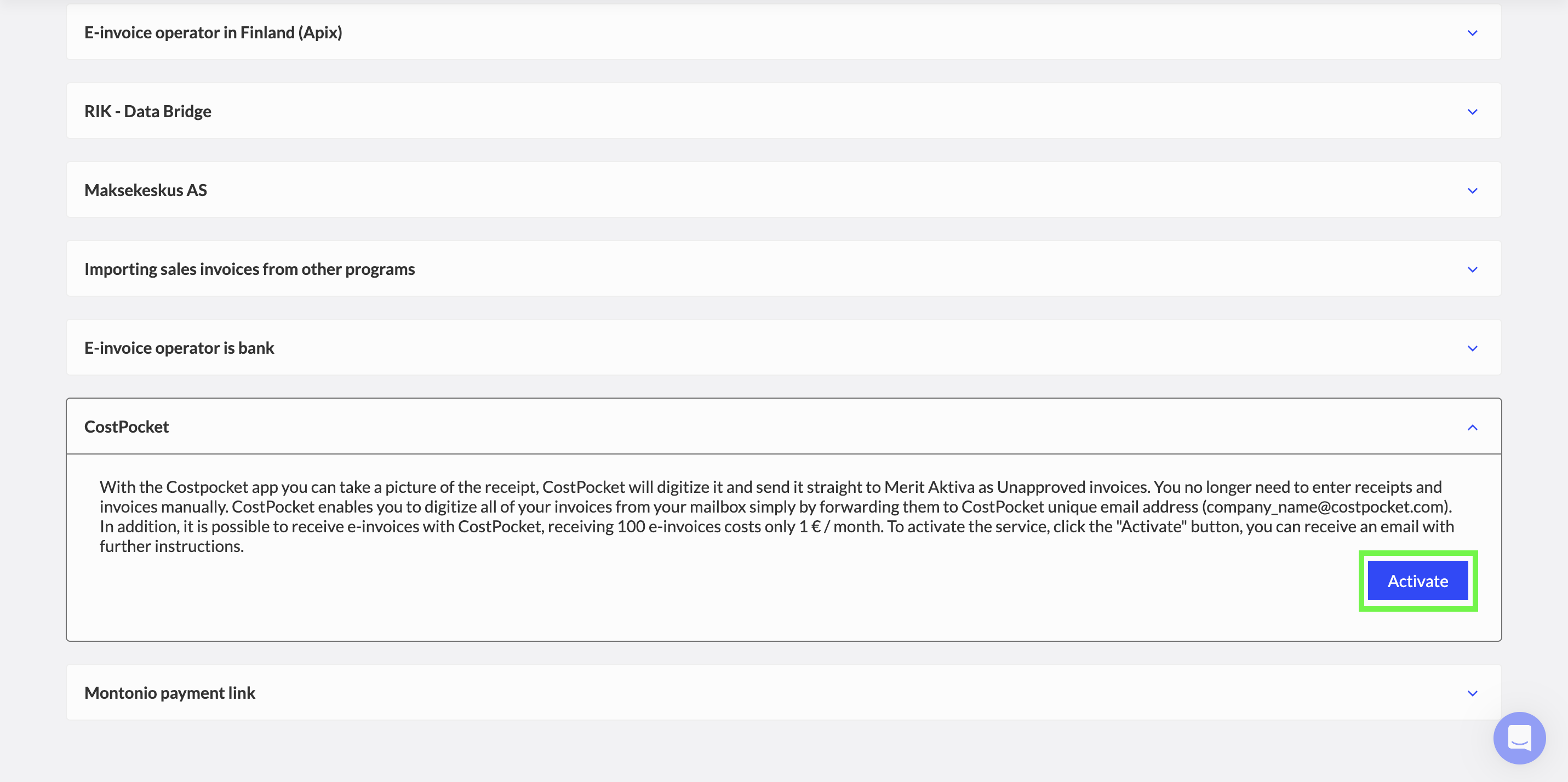
Already registered your company in CostPocket first? Follow the same steps - activating the integration in Merit connects it to your existing CostPocket company account.
How documents flow to Merit Aktiva
Send documents one by one (invoices and receipts) or bundled as expense and travel reports:
- How to submit receipts and invoices
- Submitting expense, travel, and mileage reports
- Submit documents by email
Where to find documents in Merit Aktiva
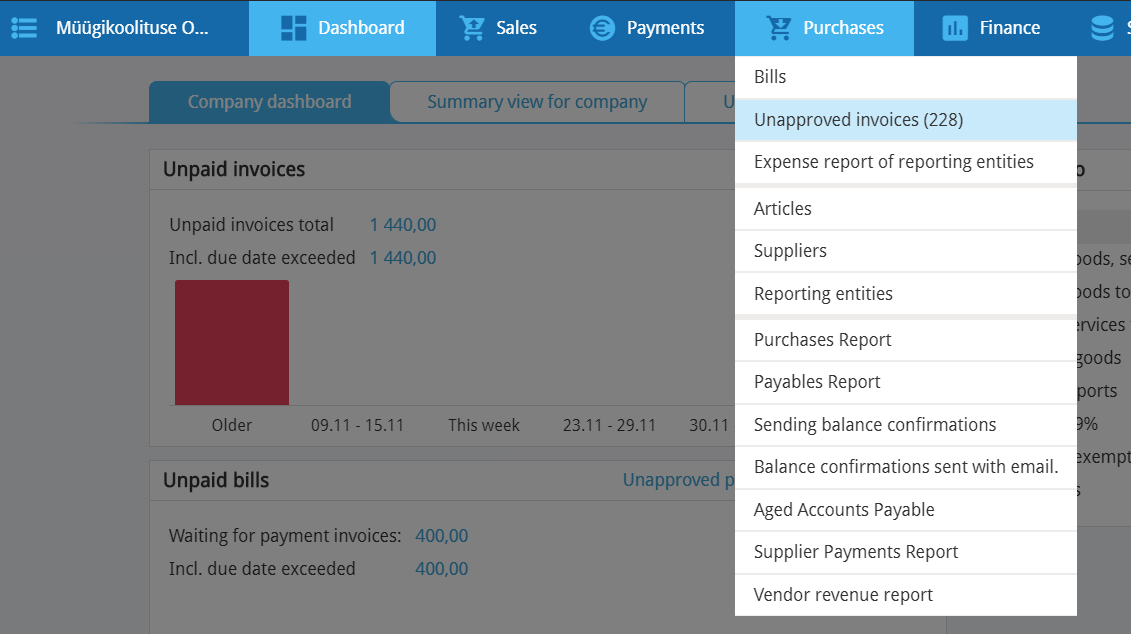
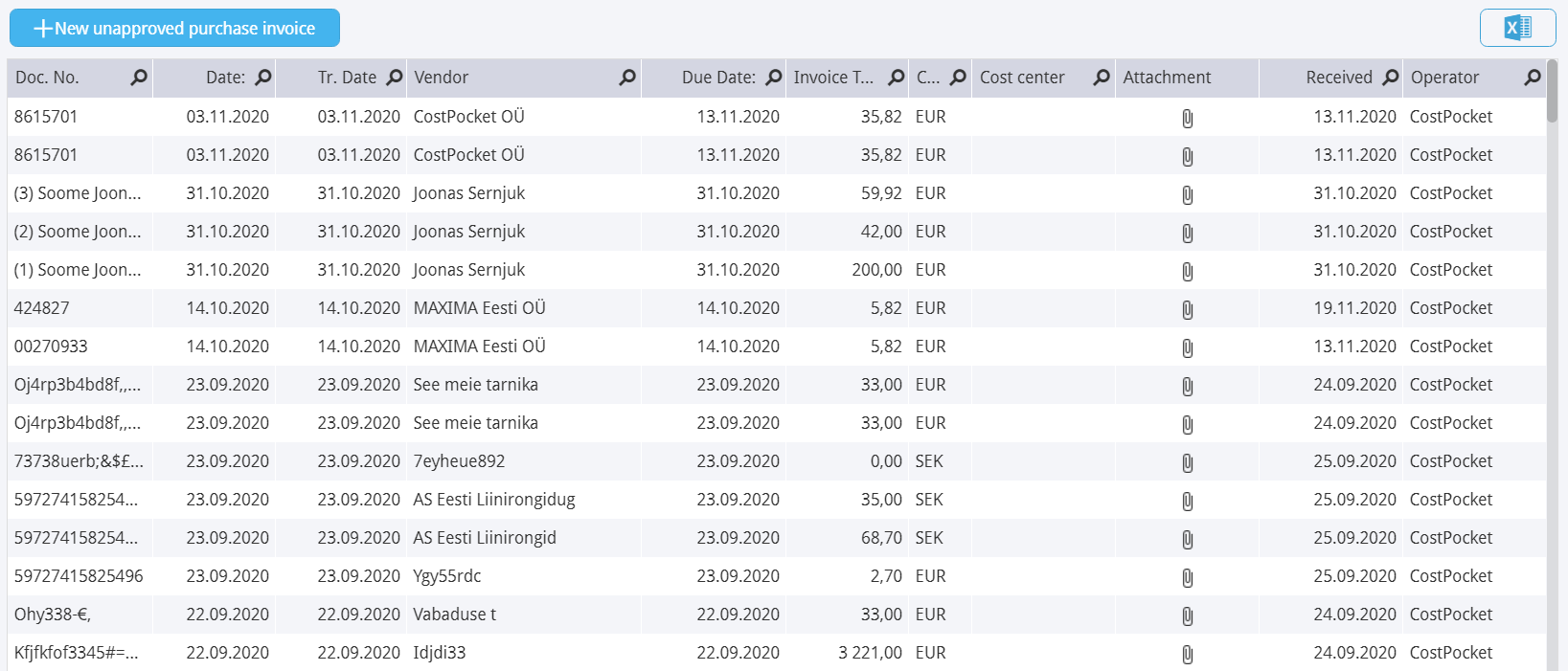
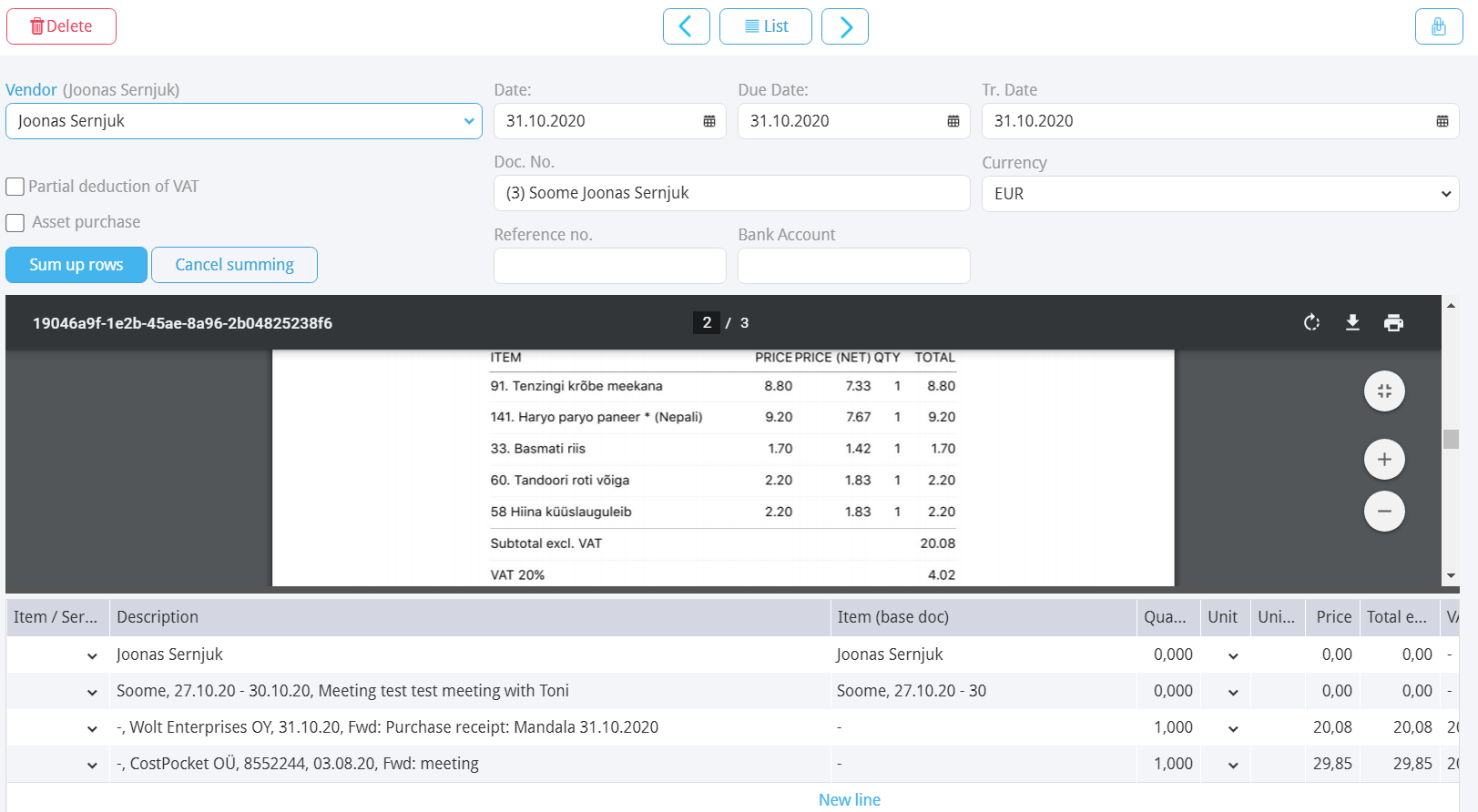
Everything arrives under Purchases > Unapproved invoices. Open any entry to review the digitised data alongside the document image.
Frequently asked questions
Does the integration work with Passeli Merit? Yes, the same activation steps apply to both Merit Aktiva and Passeli Merit.
Which email should I use in CostPocket? The same one you use in Merit Aktiva — that's how CostPocket knows to make you the administrator of the connected company.