How to connect CostPocket with Briox
Last updated July 15, 2026
Connect CostPocket to Briox by switching on the CostPocket integration in Briox's settings. Digitised invoices and receipts then appear in Briox's Supplier invoices list. Learn more about Briox.
Connect the integration
- Log in to Briox.
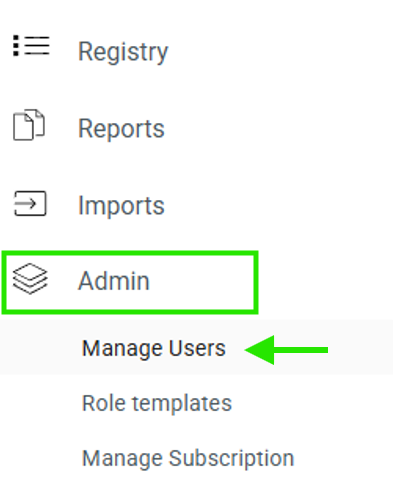
- Go to Admin > Manage users.
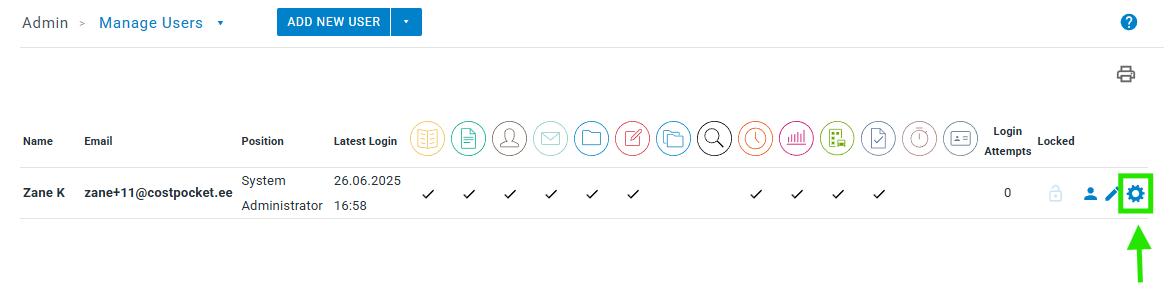
- Open Settings.
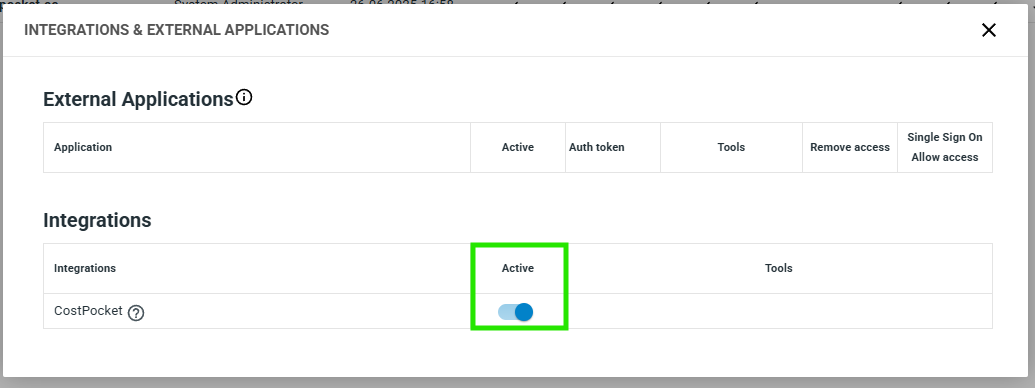
- Activate the CostPocket integration by turning on the slider.
- Get CostPocket: download the app (iOS, Android) or open Cloud.
- Log in or register with the same email address you use in Briox — you are added automatically as the administrator of your organisation's account.
How documents flow to Briox
Documents are sent to Briox one by one, as invoices and receipts:
Where to find documents in Briox
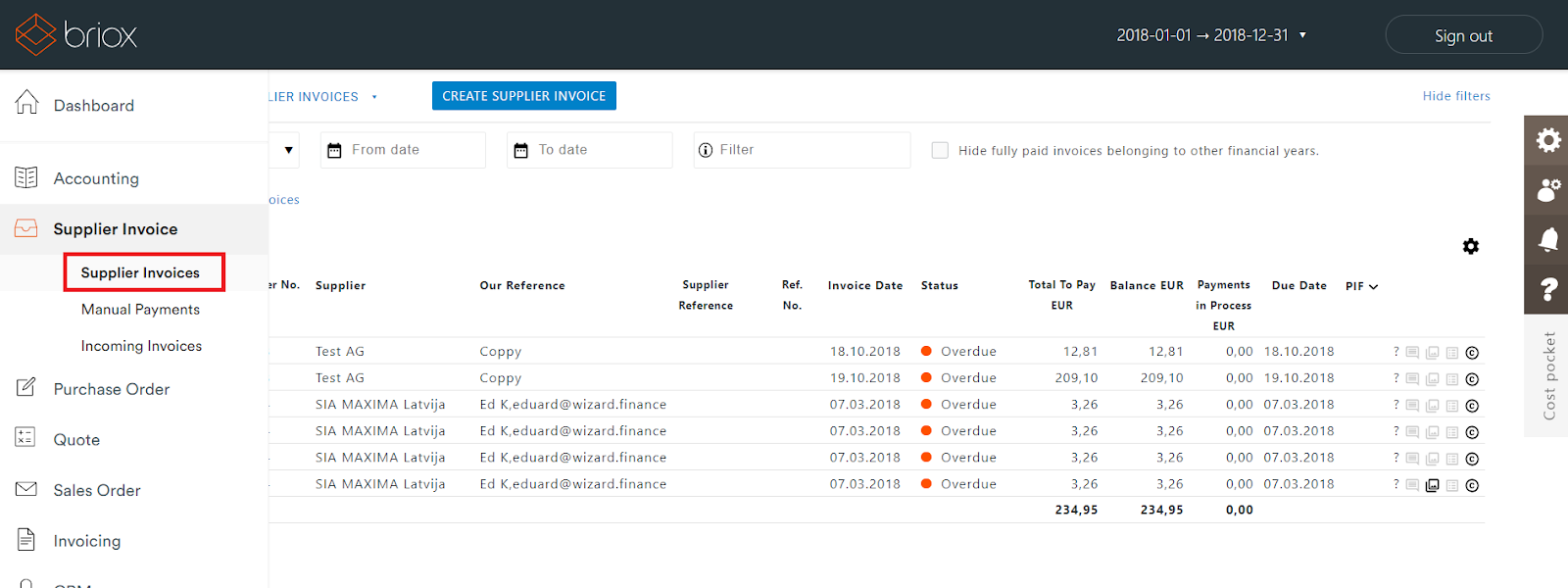
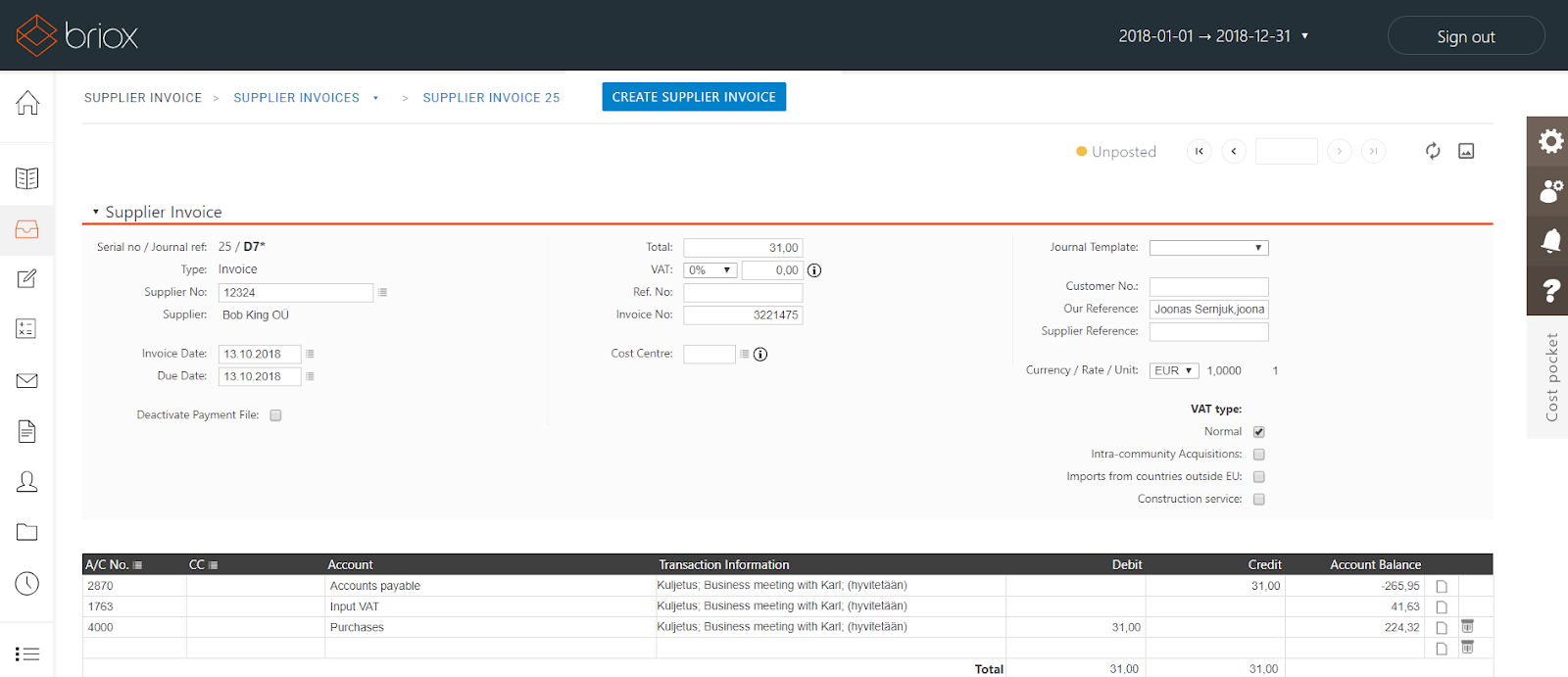
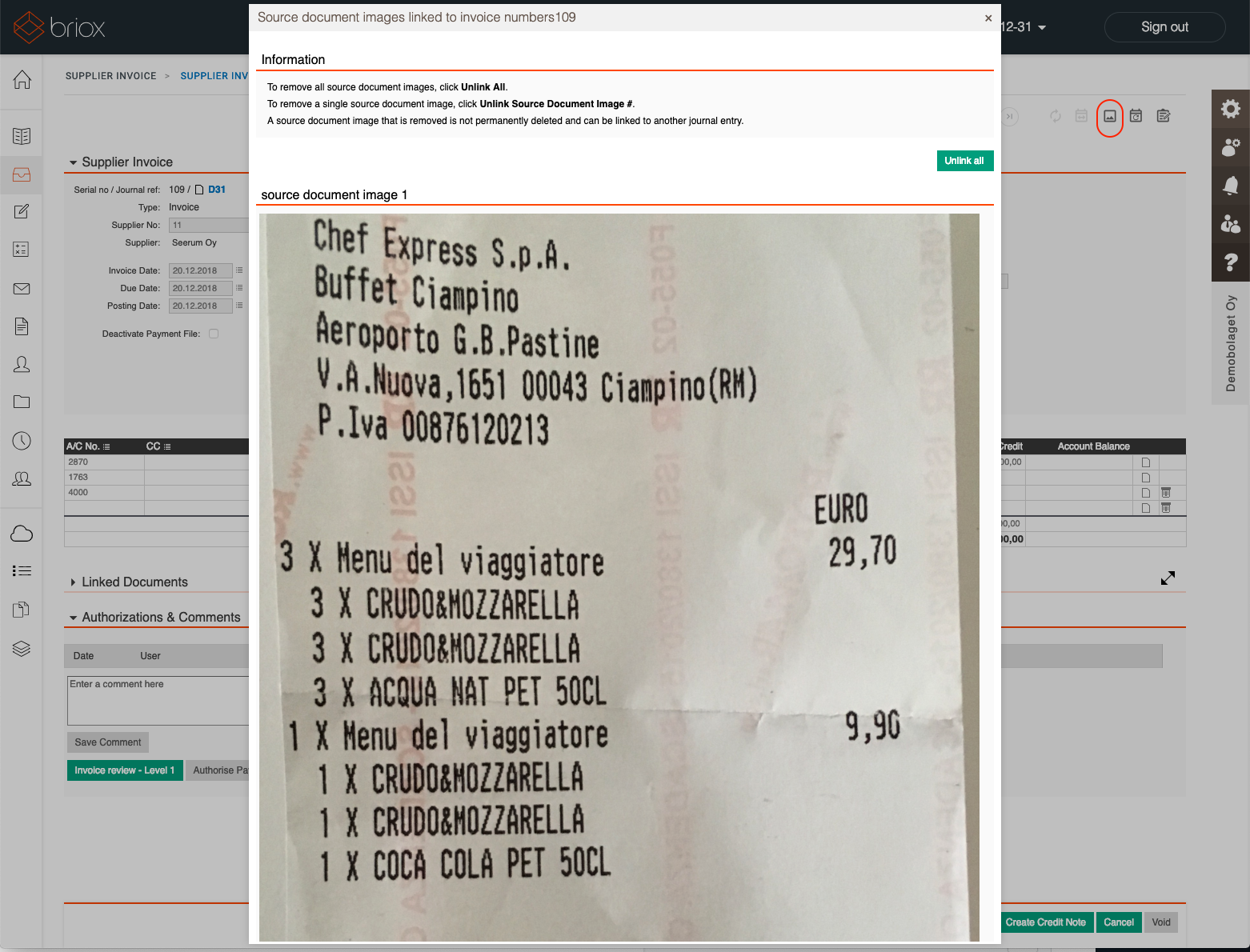
Submitted invoices and receipts appear in the Supplier invoices list. Click an invoice to open it — you can edit the details and view the document image via the image icon in the top-right toolbar.
Frequently asked questions
Can I send expense reports to Briox? The Briox integration transfers documents one by one as invoices and receipts; report bundling isn't part of this integration.
Who activates the integration in Briox? A Briox user with admin access - the slider is under Settings > Integrations.