Environments: Android and iOS apps, web app, cloud
Last updated August 24, 2026
CostPocket runs in two environments, and most companies use both:
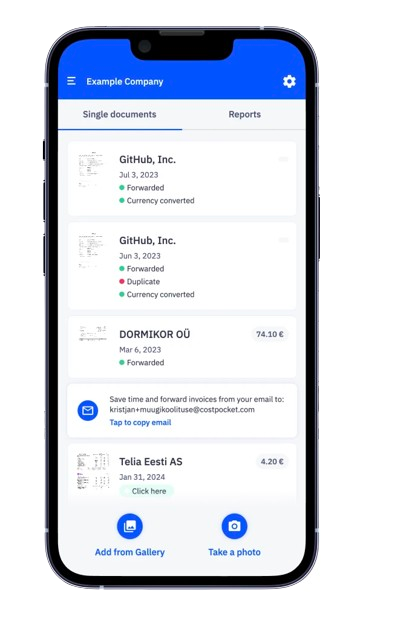
- App — Android and iOS apps, plus a web app at app.costpocket.com. Best for capturing and submitting expenses.
- Cloud — a desktop-optimised environment at cloud.costpocket.com. Best for reviewing and managing documents in bulk.
Both environments let you submit expense documents and reports, manage your account, and access all features.
The app: capture expenses on the go
The mobile app is ideal for photographing paper receipts and invoices the moment you get them — no more lost or faded receipts. Each user sees only the documents they have uploaded or that are linked to their account, such as documents pending their approval.
Cloud: review and manage in bulk
The Cloud environment is mainly used by administrators and accountants to review submitted expense documents in bulk. It is also the fastest way to upload many documents at once — simply drag and drop files from your computer.
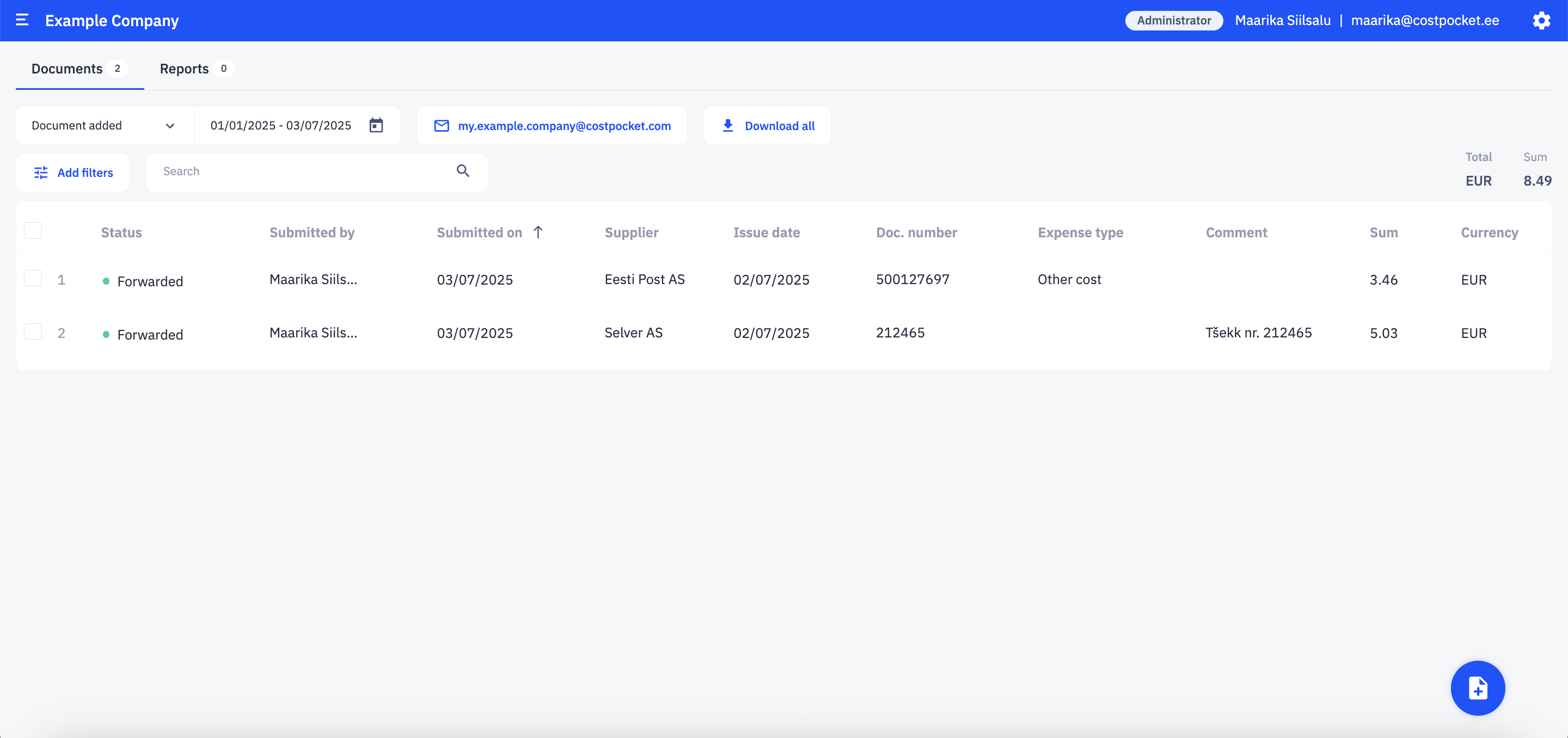
Regular users can also log in to Cloud, but they see only the documents they have personally submitted.
Frequently asked questions
Which environment should accountants use? Cloud (cloud.costpocket.com): it is optimised for desktop review, bulk actions, and managing multiple companies.
Do the app and Cloud show the same data? Yes, they are two views of the same account. Access depends on your role: administrators see everything, users see their own documents.