How to create and submit reports
Last updated July 7, 2026
Reports group expense documents together before they go to accounting, making it easier to review and faster for everyone. CostPocket has four report types: expense, travel, mileage, and payment card (covered in a separate tutorial).
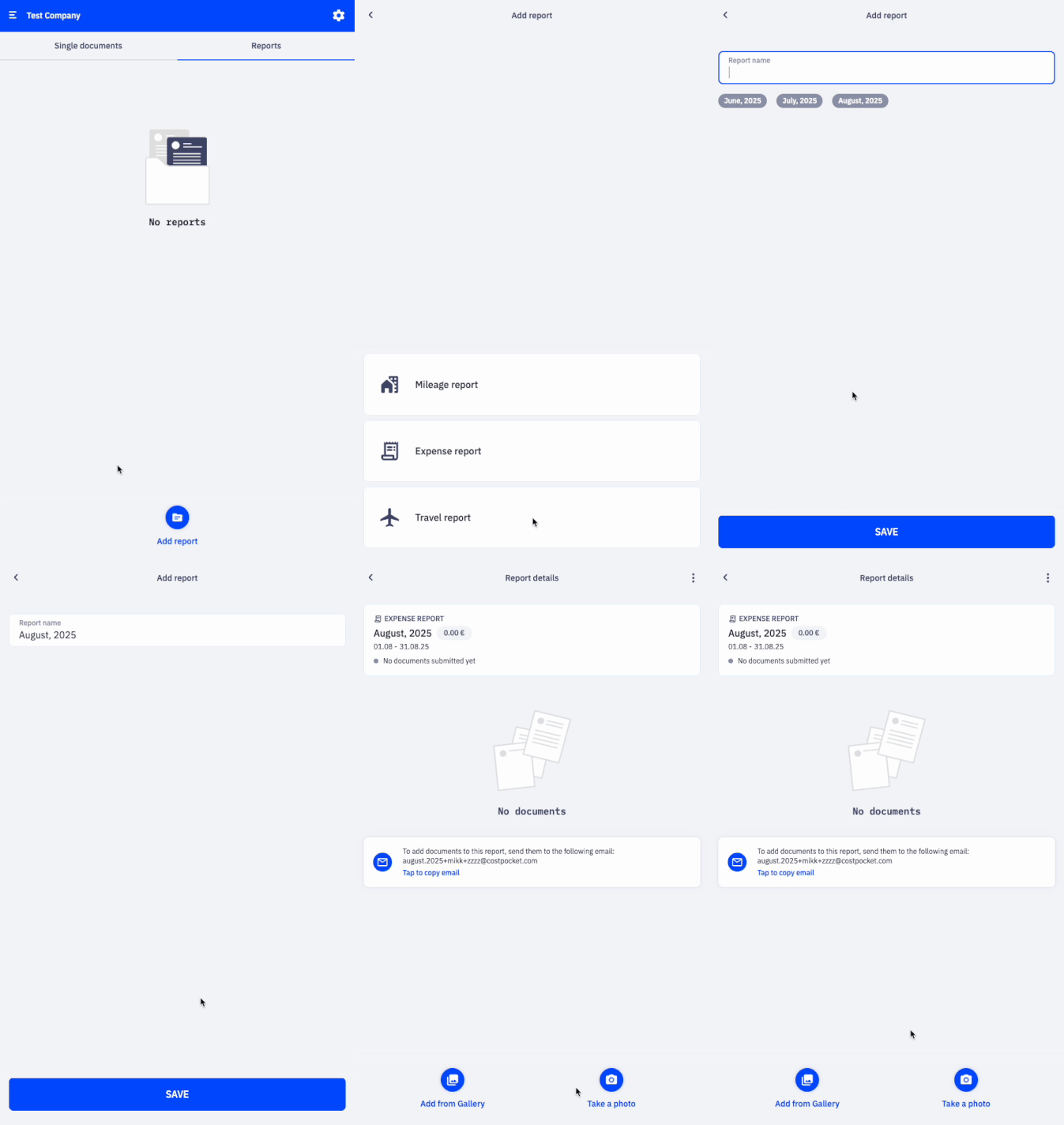
Expense report
Collect receipts and invoices into one report and submit them together instead of one by one.
- Go to Reports > Add report.
- Select Expense report and name it.
- Add your receipts and invoices.
- Click Submit report when ready.
Travel report
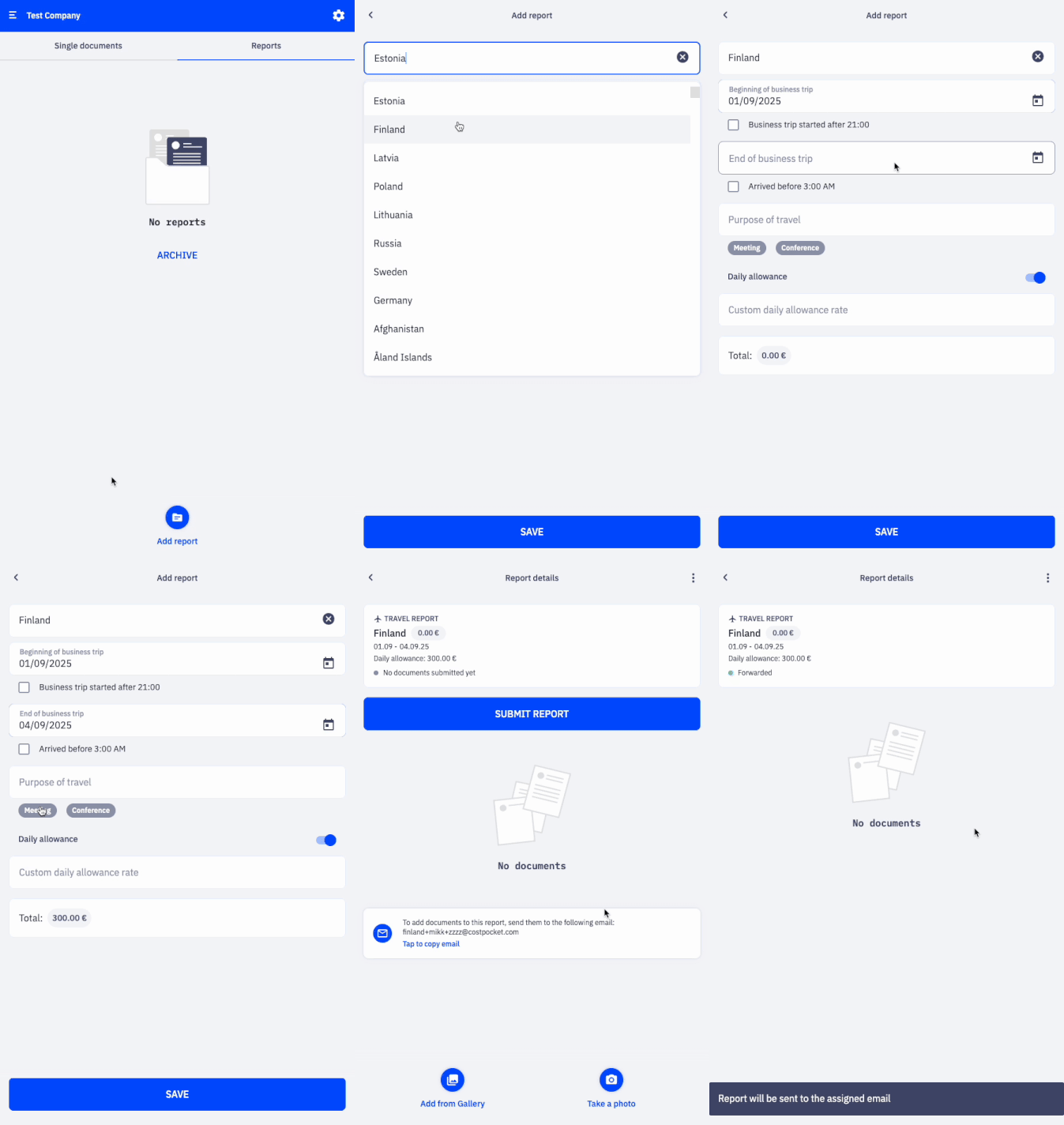
Record business trips, add travel expenses, and let CostPocket calculate the daily allowance automatically.
- Go to Reports > Add report.
- Select Travel report and enter the trip details.
- Add your travel expenses.
- Submit the report once the trip is complete.
For administrators: set a custom daily allowance rate under Settings > Accounting configuration > Report settings. By default, rates are set to the maximum allowed by local law.
Mileage report
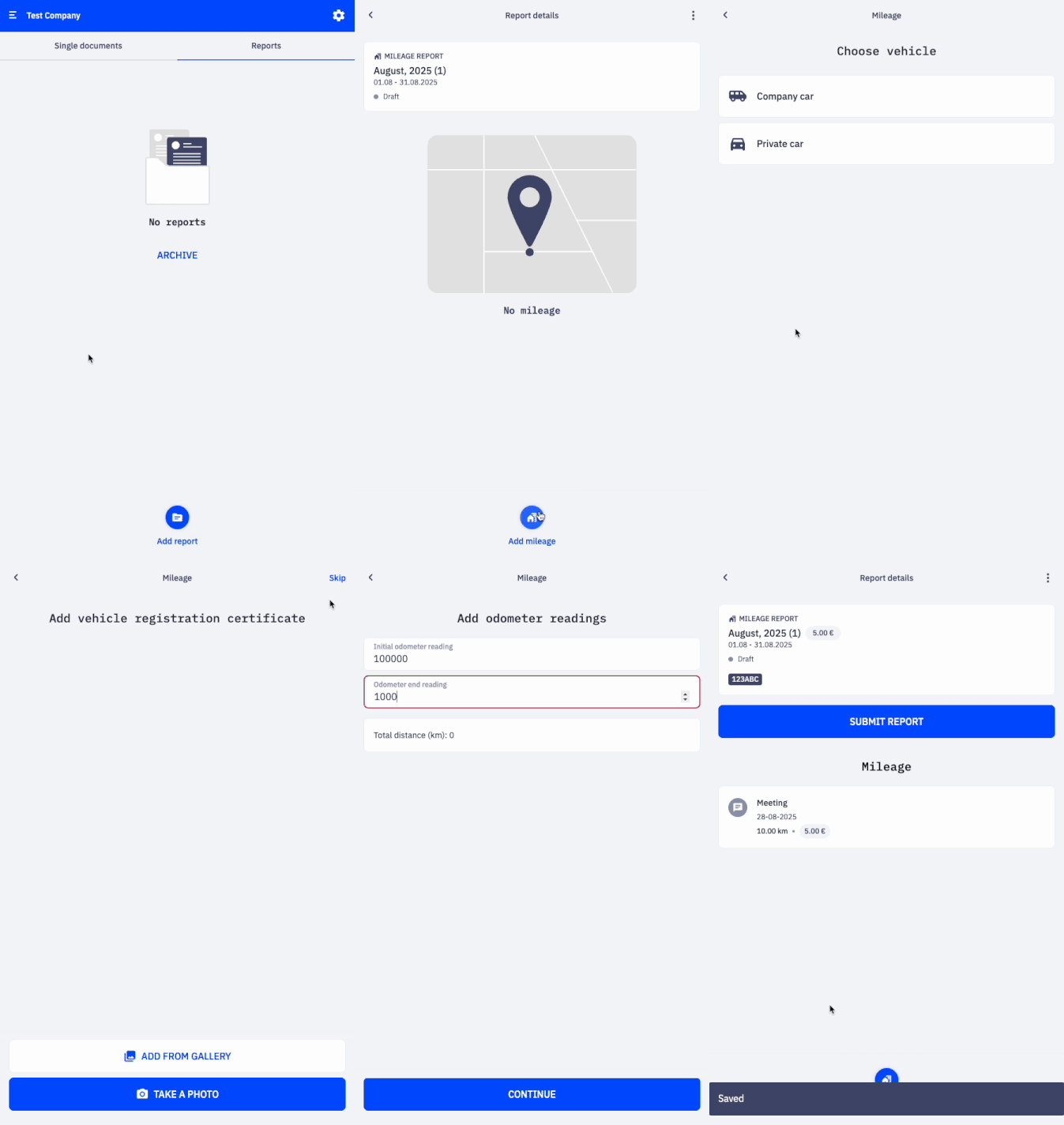
Track business driving and get reimbursements calculated at your company's rates.
- Go to Reports > Add report.
- Select Mileage and name it.
- Add a mileage entry for each trip.
- Submit when ready.
For administrators: define the mileage rate and limit under Settings > Accounting configuration > Report settings. By default, the maximum rates allowed by local law apply.
Frequently asked questions
Do I have to wait for every receipt to digitise before submitting? No — submit as soon as all documents are added. CostPocket waits for digitisation to finish and forwards the report automatically.
Who sets the daily allowance and mileage rates? Account administrators, under Settings > Accounting configuration > Report settings. Defaults follow the maximum rates allowed by local law.
Can I email documents straight into a report? Yes — every report has its own email address, shown inside the report. Learn more.