How to submit receipts and invoices
Last updated July 7, 2026
You can submit expense documents to CostPocket in three ways: photograph them in the mobile app, upload files in the Cloud platform, or forward them by email to your dedicated CostPocket inbox.
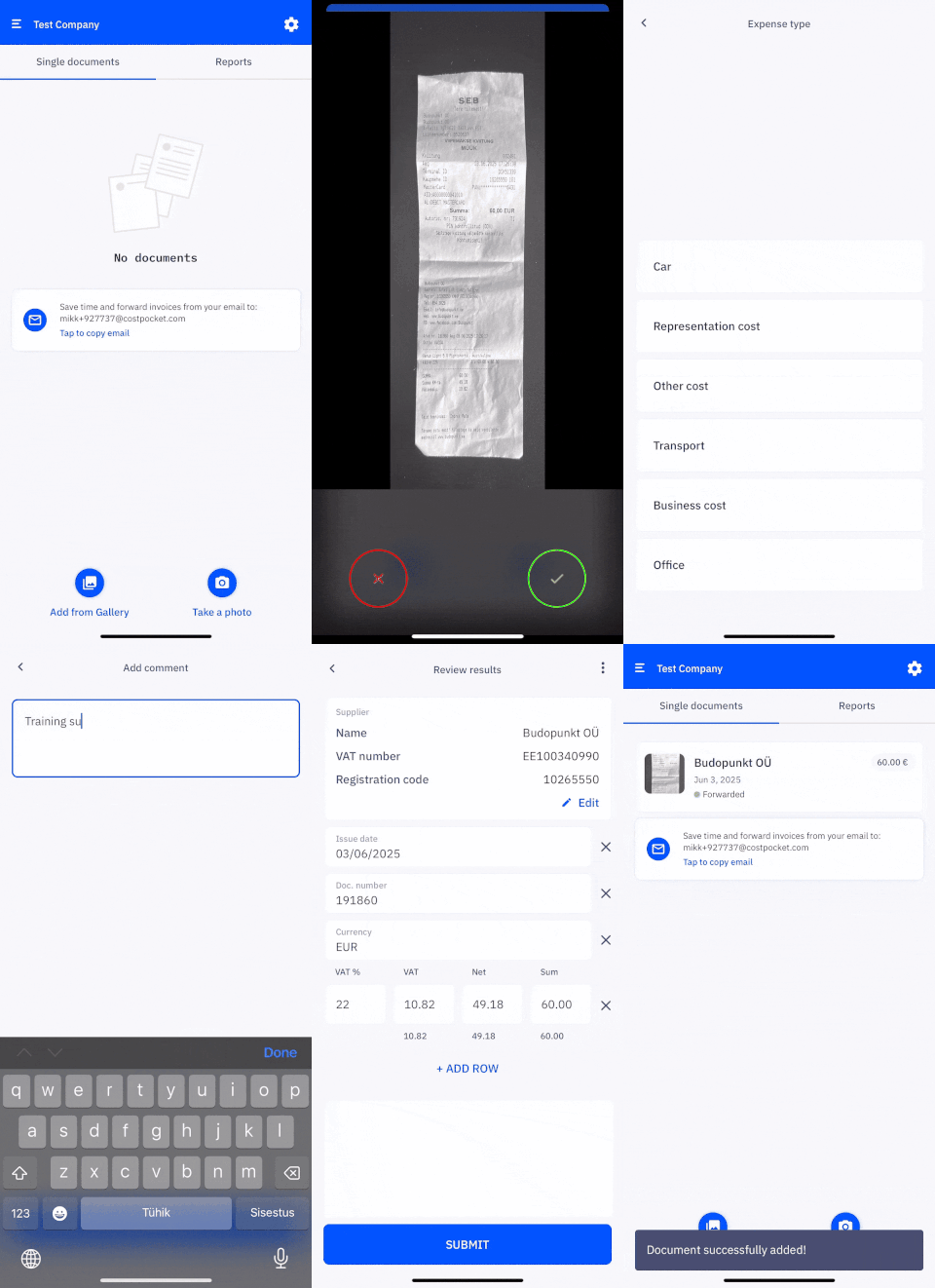
Submitting in the app
- Open the CostPocket app and take a photo of the receipt or invoice, or upload it from your gallery.
- Fill in the requested details, such as reimbursement, expense type, or a comment (depends on your company's settings).
- Confirm the digitised data and submit. The document is forwarded to your company's accounting.
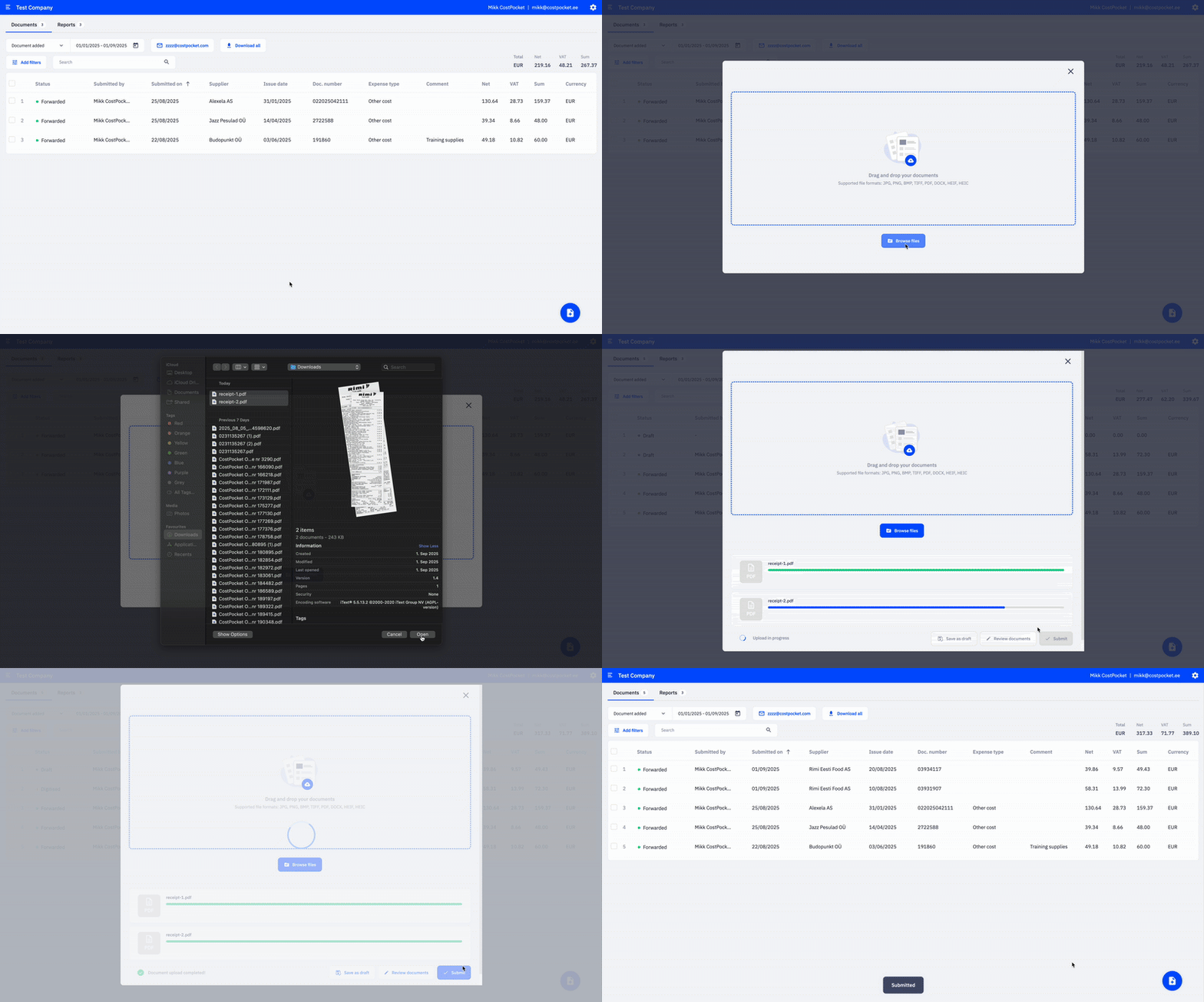
Submitting in Cloud
- In Cloud, click the blue document icon in the bottom-right corner.
- Drag and drop your documents, or select files manually.
- Click Submit to send the documents to accounting, or Review documents to confirm the details first.
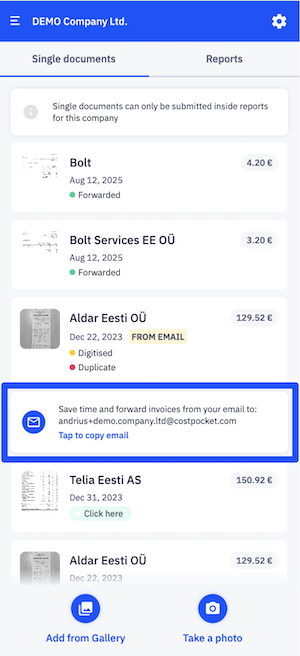
Submitting by email
- Forward receipts or invoices to your dedicated CostPocket email address (shown at the top of Settings).
- Send documents either as single expense documents or directly into a report using the report's own inbox address.
- Each email can include up to 100 attachments. Supported formats include PDF, JPG, PNG, DOCX, XML, TIF, and HTML.
See the detailed email submission guide.
on submitting expenses with CostPocket.
Frequently asked questions
Which submission method is fastest? For paper receipts - snap a picture with the app. For digital invoices in your inbox - choose forwarding by email, as no download/upload needed. For big batches of documents use drag-and-drop in Cloud.
Can I check the extracted data before it goes to accounting? Yes — you review and confirm the digitised data before submitting (unless your company uses a workflow that skips review).
What if my receipt is very long or invoice is on two pages? You can upload multiple pictures related to the same expense document. See how.