Submit documents by email
Last updated July 7, 2026
Every CostPocket user has a dedicated email inbox: forward expense documents to it and they are digitised automatically. Nearly 6 out of 10 expense documents reach CostPocket this way. It's the simplest route for digital invoices and email receipts.
How it works
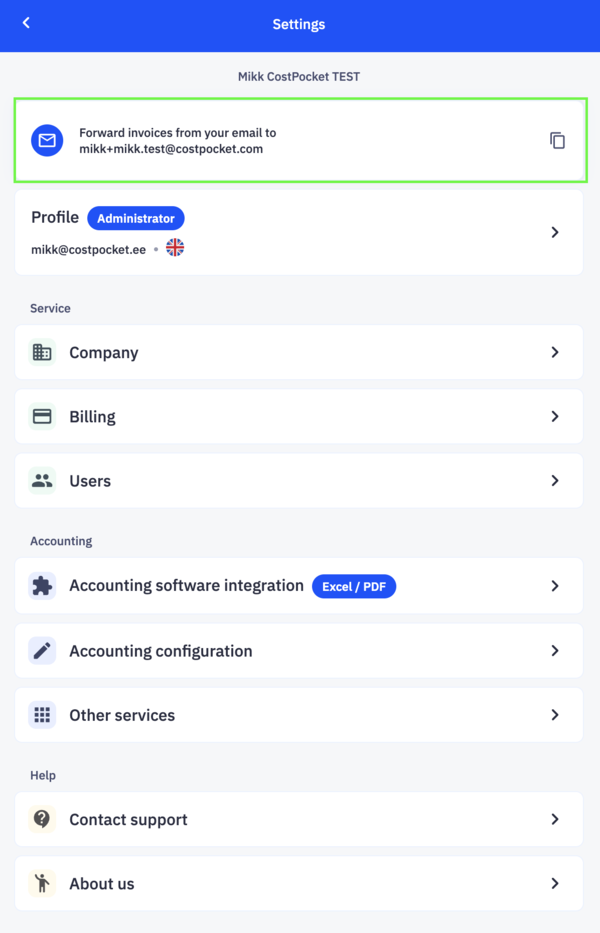
- Find your address at the very top of Settings in the app or Cloud.
- Forward up to 100 documents per email. Supported formats: PDF, TIF, XML, DOCX, JPG, PNG — and HTML, so email receipts from Bolt, Uber, Airbnb, Amazon, Facebook, Google, and others digitise directly from the forwarded email.
Submit straight into a report
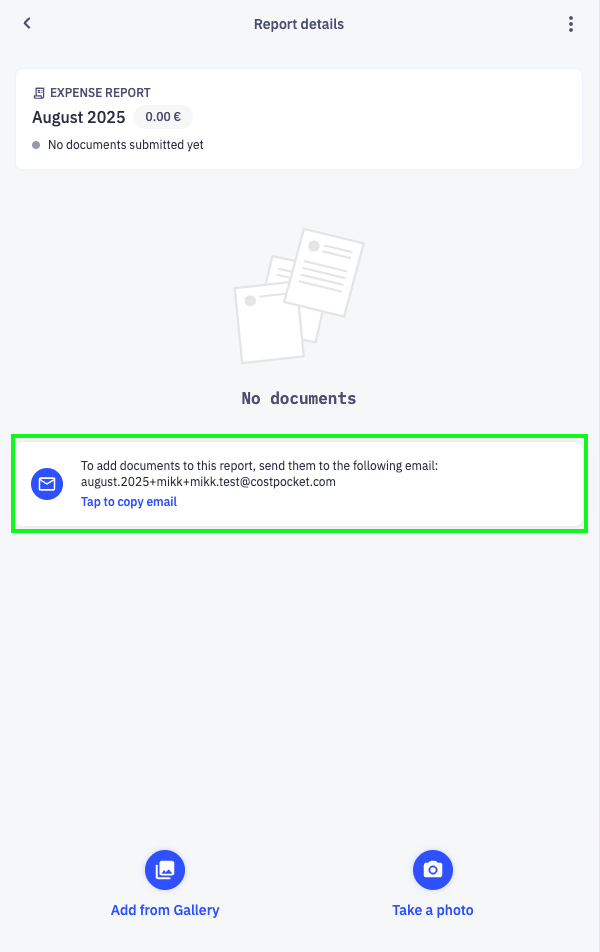
Each report also has its own email address, shown inside the report after you create it. Forward documents there and they are added to that report automatically.
Frequently asked questions
Can I auto-forward supplier invoices to CostPocket? Yes — set up a forwarding rule in your email client to your dedicated CostPocket address, and recurring invoices flow in without any manual work.
Do Uber and Bolt email receipts work without attachments? Yes. The HTML body of the email itself is digitised — no PDF attachment needed.