How to register a CostPocket account
Last updated July 6, 2026
How to register a CostPocket account
Creating a CostPocket account takes under a minute: sign up with your email and a password, or log in directly with your Google or Microsoft account.
Steps
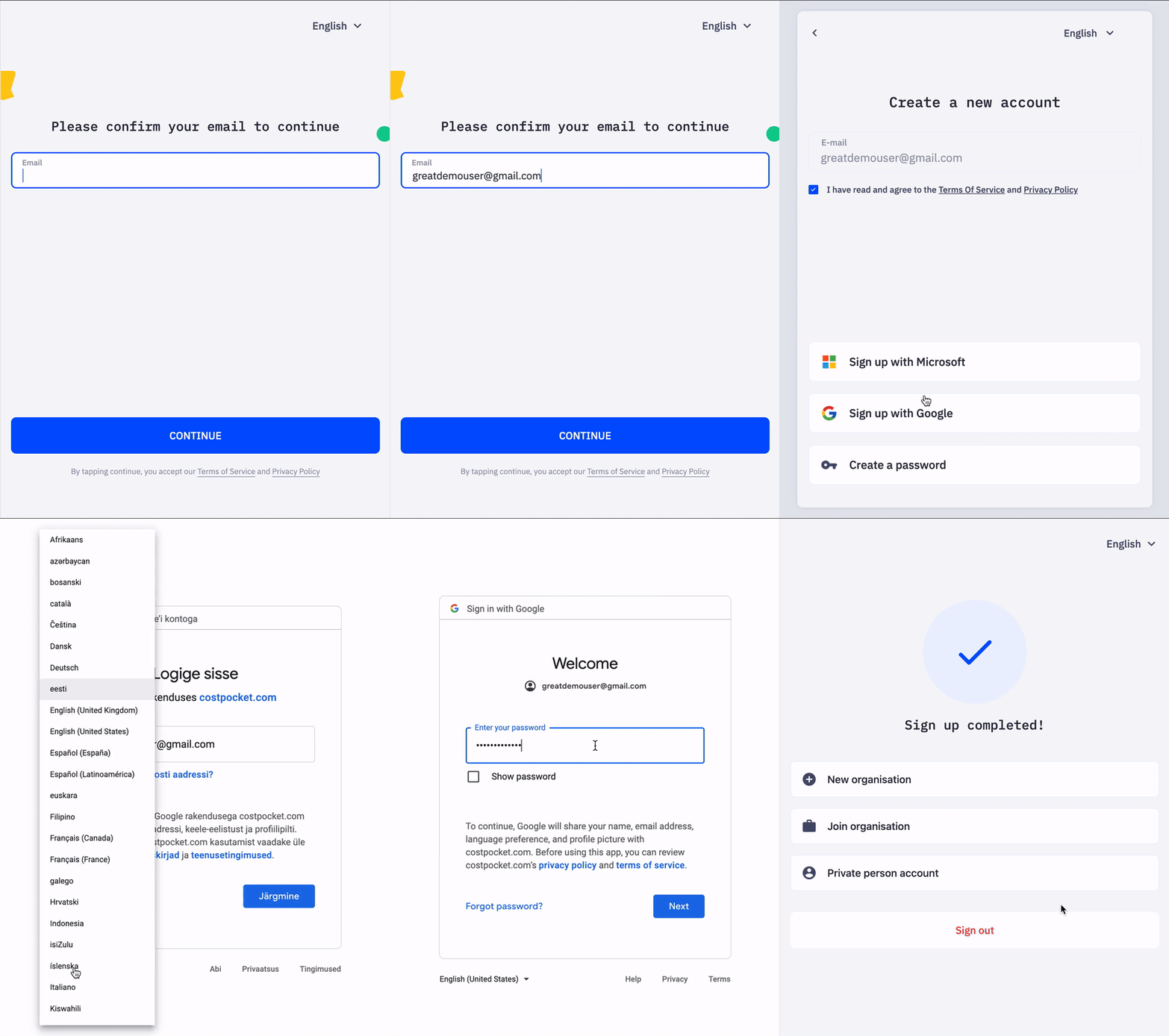
- Get the app or open the web app. Download CostPocket for Android or iOS, or open the web app in your browser.
- Choose a sign-up method. Enter your email address and create a password, or select Continue with Google or Continue with Microsoft.
- You're in. After confirming, your user account is ready.
Tip for employees: register with your work email address. If your company has already added you as a user, you are connected to the company account automatically.
Frequently asked questions
Can I use one account for several companies? Yes. One user account can belong to multiple organisations — useful for accountants and anyone working with more than one business.
Is registration free? Yes. Creating a user account is free, and new company accounts start on a free demo plan.
Next steps
- Add a company — set up CostPocket for your business
- Join a company — your employer already uses CostPocket
- Getting started as an employee - start using CostPocket