How to join a company
Last updated July 6, 2026
There are two ways to join your company's CostPocket account: be invited by an administrator (automatic), or join it yourself from the app.
If an administrator invites you, you are added to the company account automatically — just register with the email address they invited.
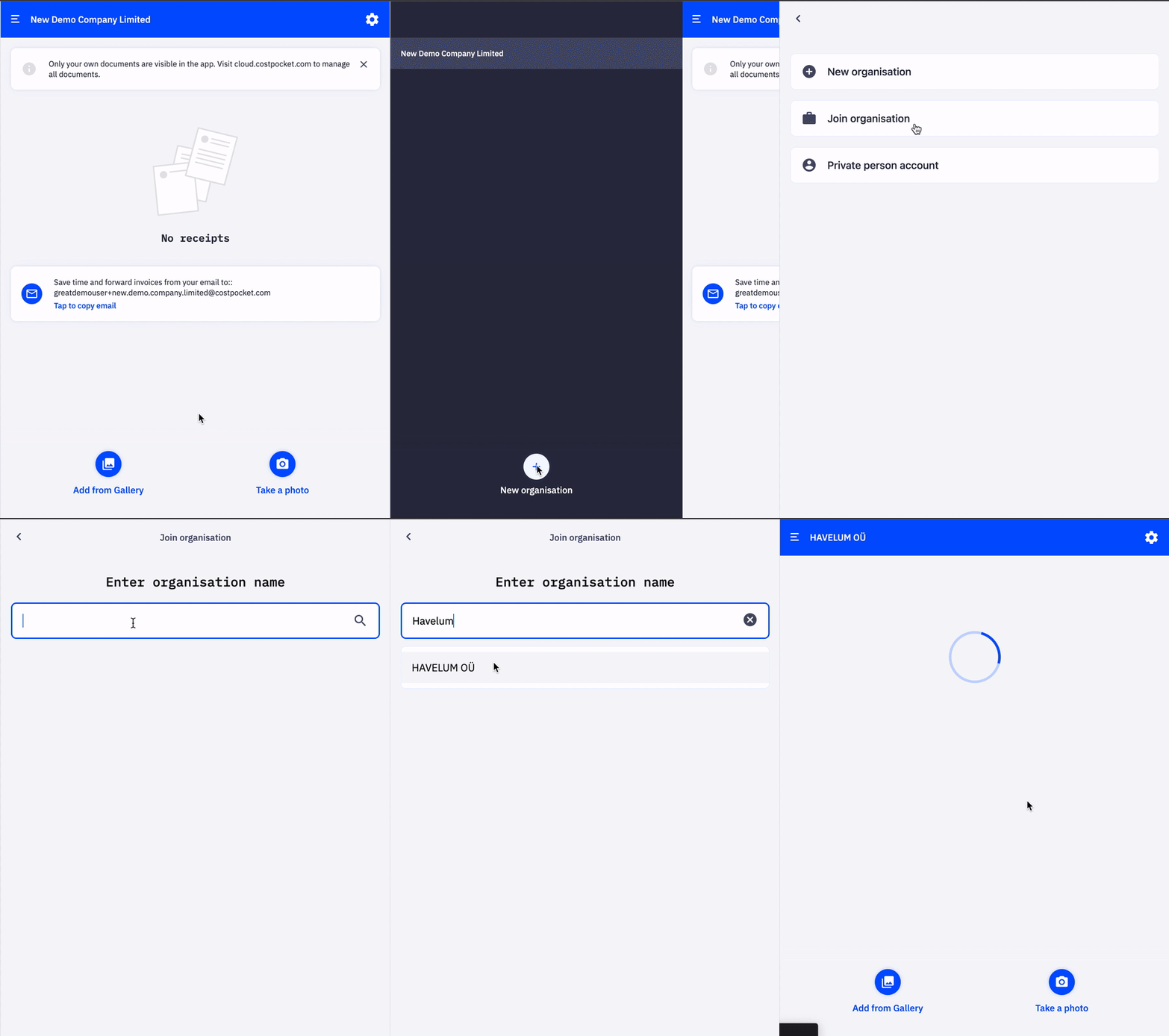
To join by yourself:
- In the app, go to Menu > New organisation > Join organisation.
- Search for your company by name and confirm.
Note: self-joining is available only if your account administrator has enabled it under Settings > Users.
Frequently asked questions
I can't find my company in the search — what now? Self-joining may be disabled. Ask your administrator to invite you from Settings > Users, or to enable self-joining.
Which email should I register with? The one your company knows, usually your work email. If the admin invited that address, you are connected automatically.