Single invoice for multiple clients
Last updated July 7, 2026
Agencies managing several client accounts can receive one consolidated CostPocket invoice instead of separate invoices per client - this also qualifies you for the accountant benefits.
Steps
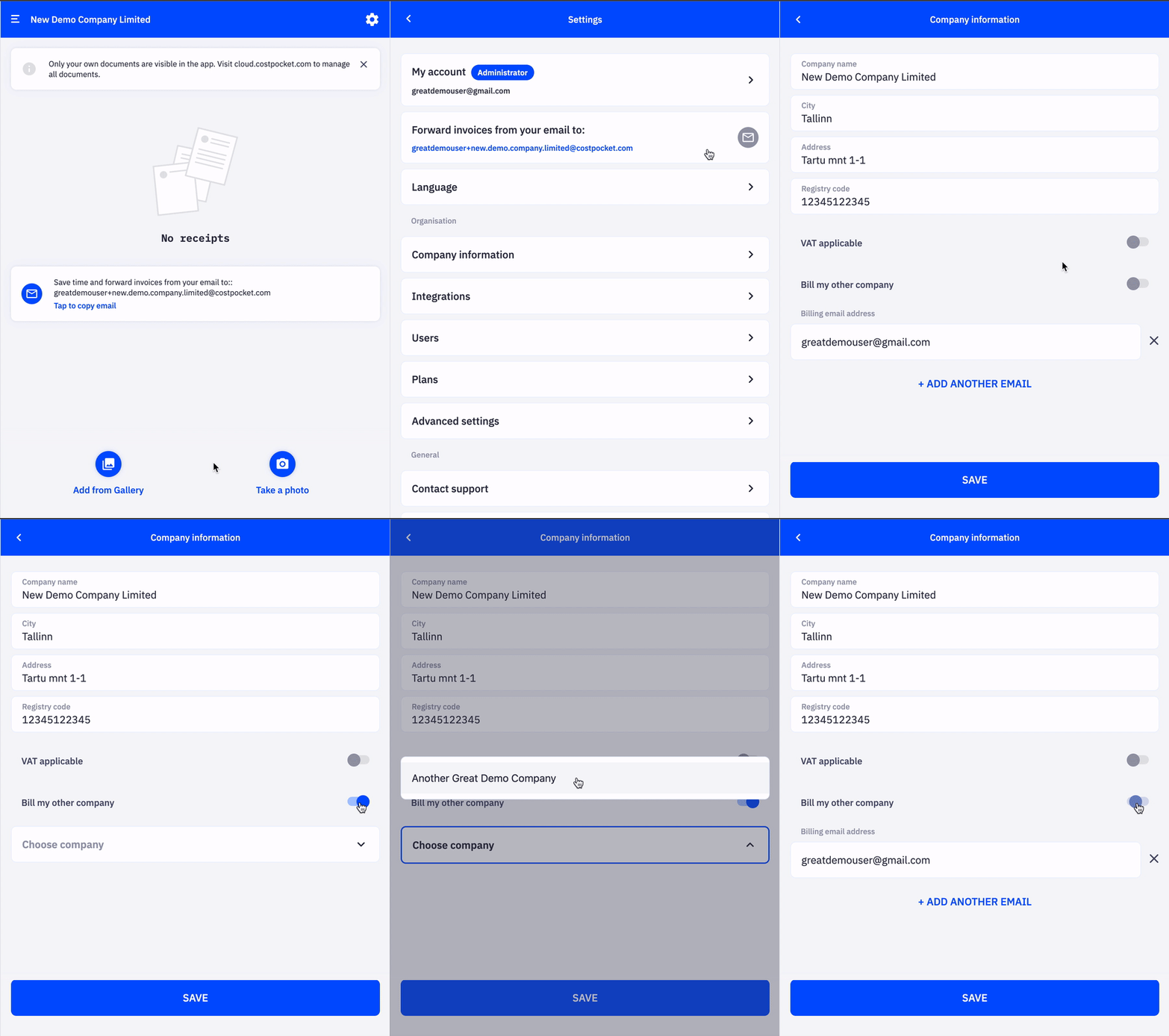
- Open a client's company account in CostPocket.
- Go to Settings > Billing.
- Select your agency as the billing recipient for the service.
- Repeat for each client account you manage.
Frequently asked questions
Does the client see the charges? The client's account shows its plan, but the service invoice goes to your agency — clients receive no separate CostPocket invoice.
Can I undo this if a client leaves? Yes — change the billing recipient back to the client's company in the same Settings > Billing view. See the offboarding guide.