How to receive e-invoices in CostPocket
Last updated July 6, 2026
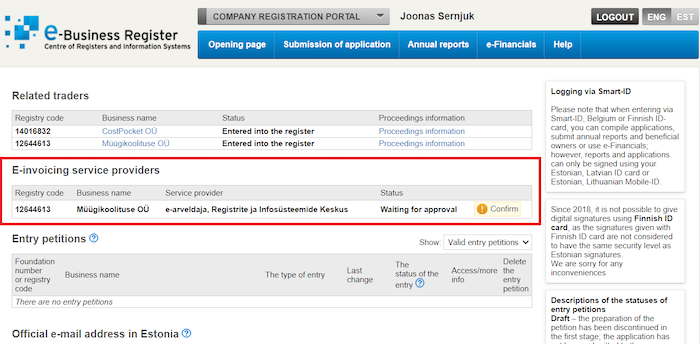
Receiving e-invoices takes two steps: activate the service in CostPocket, then confirm the e-invoicing provider in the Estonian Company Registration Portal (RIK).
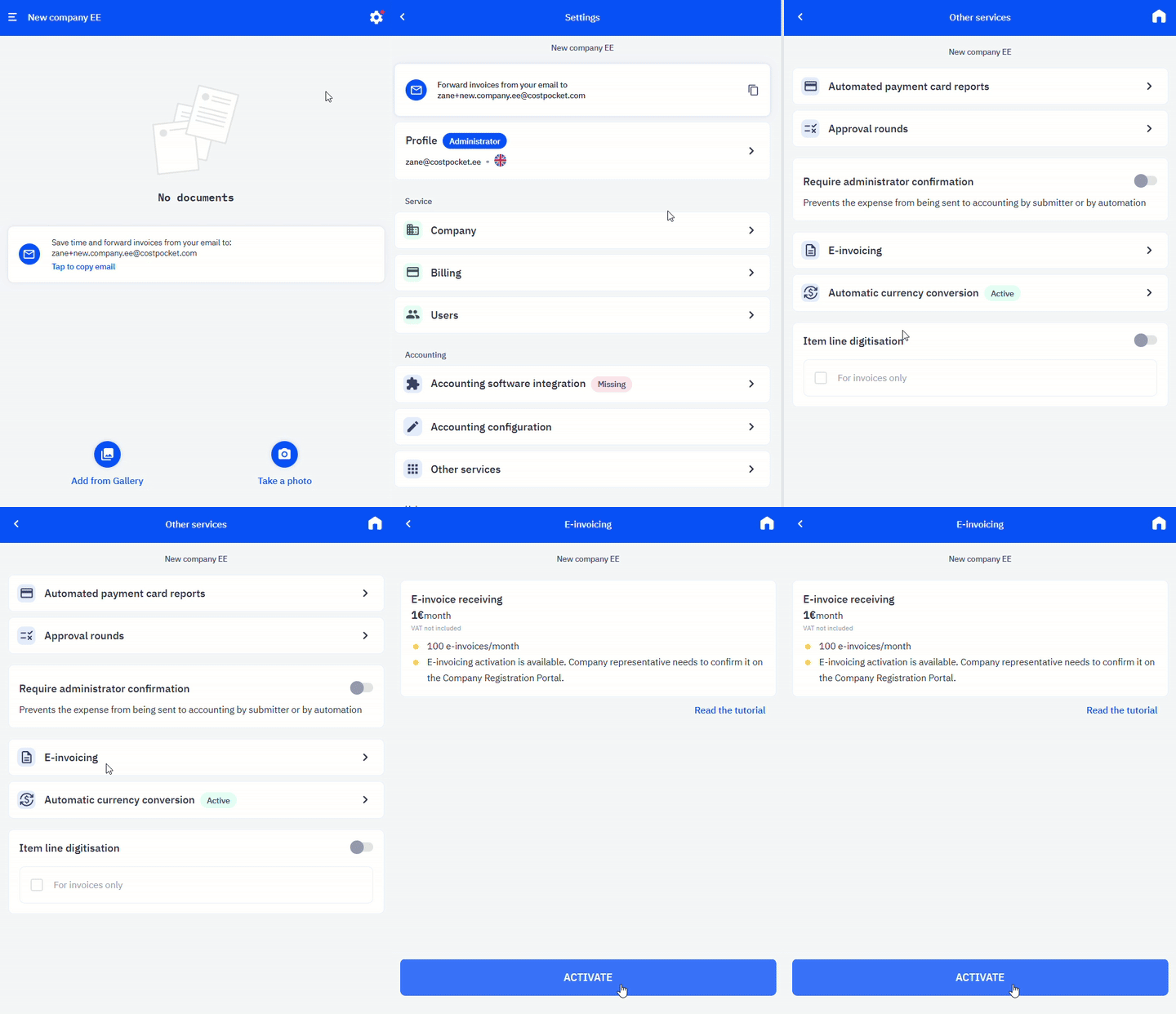
Step 1. Activate e-invoices in CostPocket
Go to Settings > Other services > E-invoices and click Activate.
Step 2. Confirm the provider in RIK
- Log in to the Company Registration Portal.
- Choose Company Registration Portal and select Change the data.
- Under E-invoicing service providers, confirm CostPocket's partner: "e-arveldaja, Registrite ja Infosüsteemide Keskus".