Express mode: the quickest way to submit receipts
Last updated July 7, 2026
Express mode reduces expense submission to two steps: photograph the document and confirm the digitised data. It's the fastest way for busy teams to report expenses.
How to enable Express mode
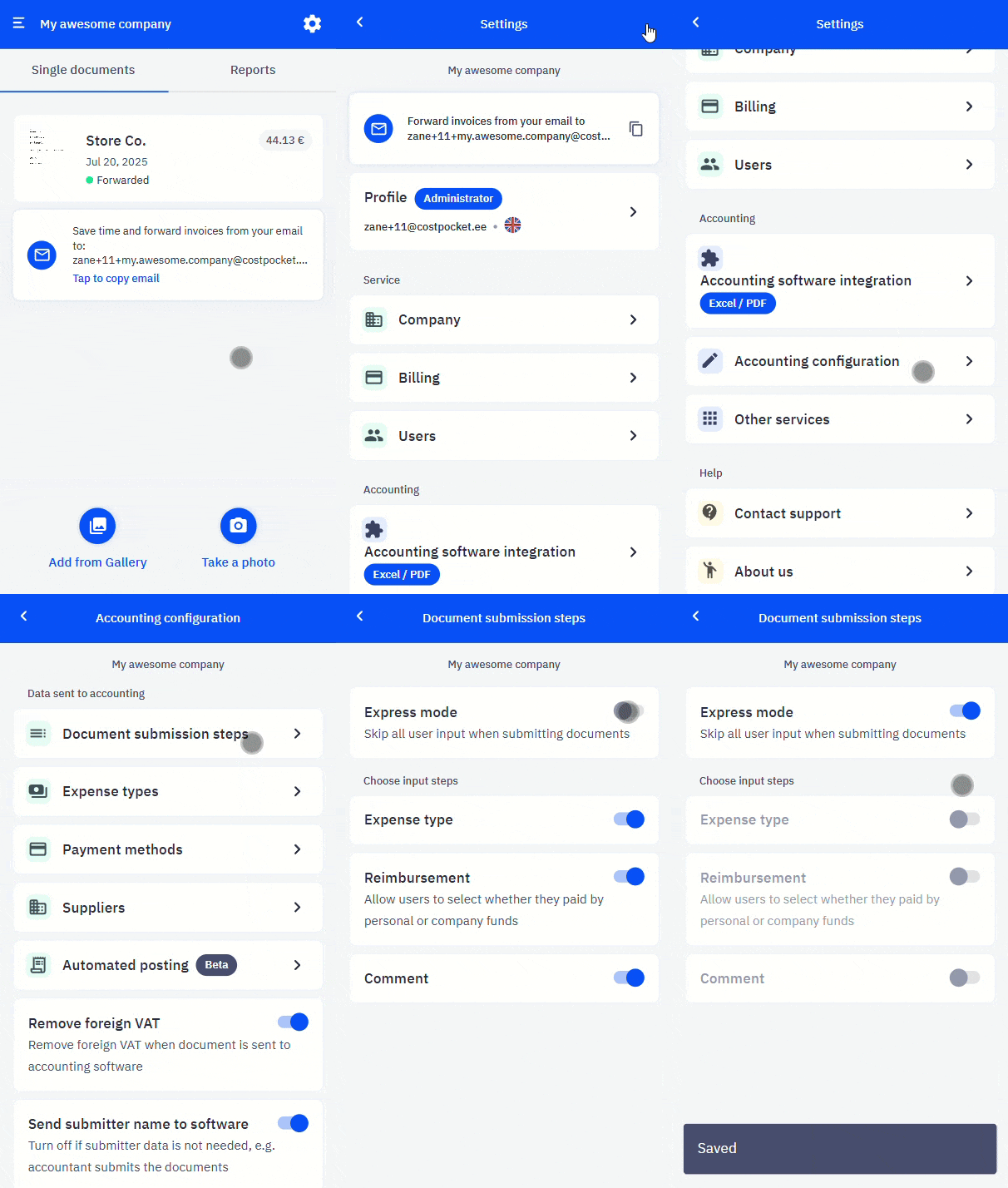
Administrators turn on Express mode under Settings > Accounting configuration > Document submission steps.
How Express mode works
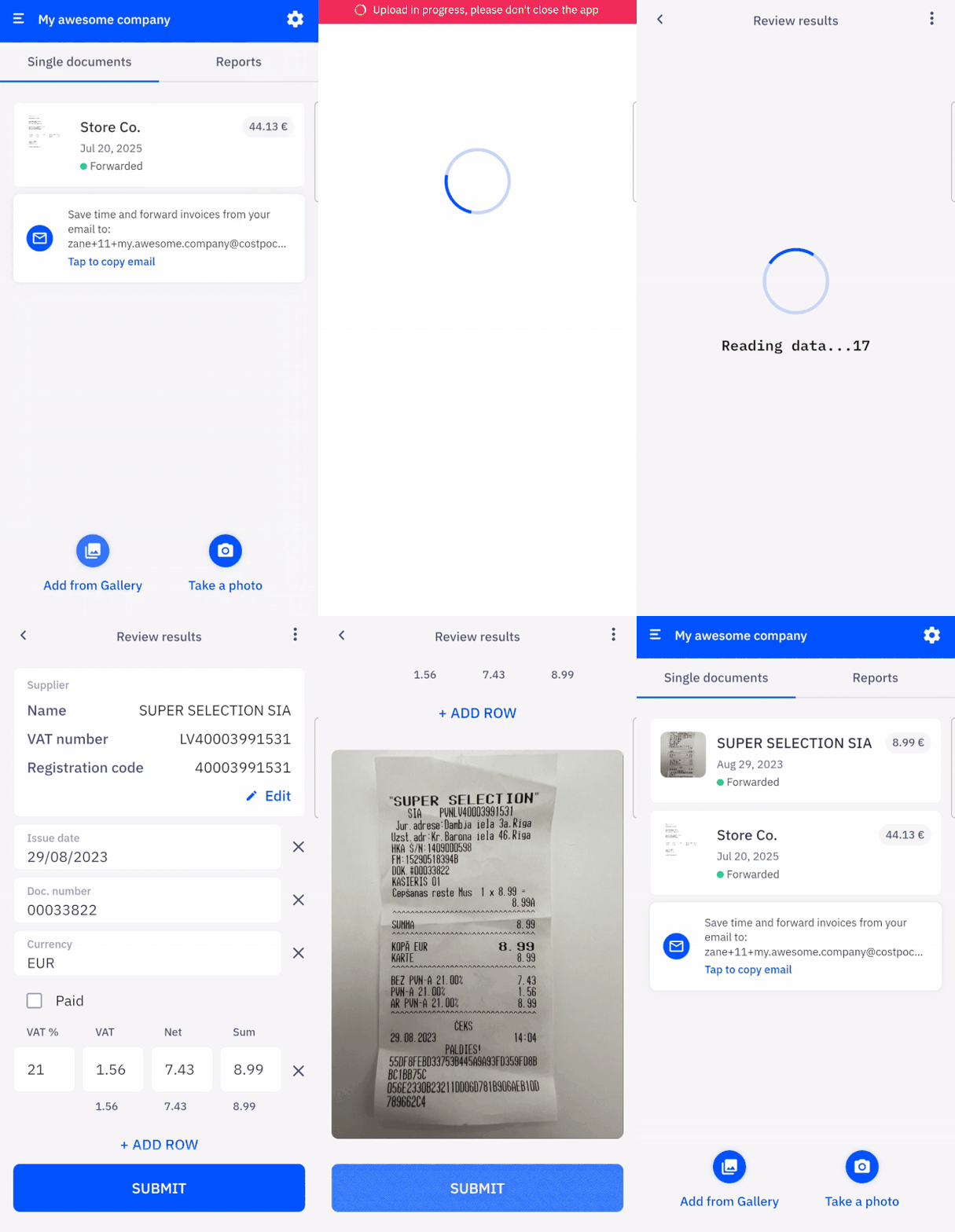
With Express mode, employees report a document in just two steps in the mobile app:
- Add the expense document — photograph it or upload it.
- Confirm the digitised data — the document is sent to the accounting software.
Frequently asked questions
What's the trade-off with Express mode? Employees are not asked for expense type, reimbursement, or comments — so use it when your accountant categorises documents, or when speed matters more than pre-sorting.
Can I combine Express mode with expense types? No — Express mode replaces the extra submission steps. Choose whichever fits your accounting workflow under Document submission steps.