Add and manage users
Last updated July 6, 2026
Account administrators add new users and assign or revoke administrator roles under Settings > Users.
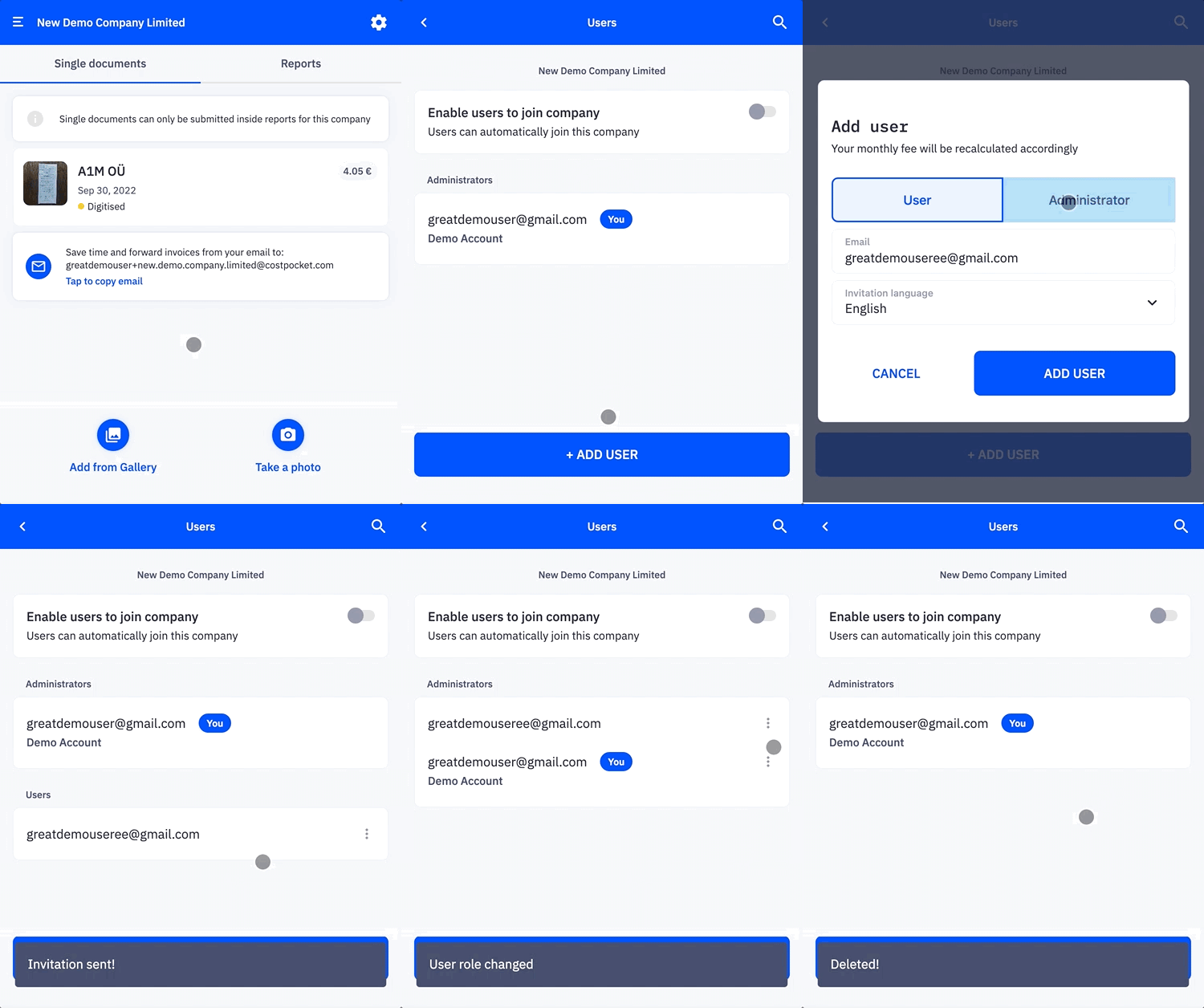
User roles
Administrator
Administrators manage the organisation's account and see all submitted documents. This role is typically held by company owners and accountants. Administrators can:
- Edit organisation settings, including the billing email for CostPocket service invoices
- Add users, grant or revoke administrator rights, and remove users
- Set up and modify accounting software integrations
- Choose and change the subscription plan
- Access and manage all expense documents submitted by any user
- Send documents and reports to the integrated accounting software
User
Users are team members added to submit expense documents. Users can:
- Submit expense documents and create expense reports
- View and manage only the documents they have submitted
- Send their documents to the integrated accounting software
Frequently asked questions
Who should be an administrator? Usually the company owner and the accountant. Everyone who only submits expenses should be a regular user — they can't see each other's documents.
Can I remove a user who left the company? Yes — administrators can remove users at any time under Settings > Users. Their submitted documents remain archived in the account.