Invoice line digitisation? Consider it done.
Previously, you could only digitise invoice lines in CostPocket with human assistance. Now it's possible just with our robot also - see how it's done!
Until the end of last year, it was only possible to digitise invoice lines in CostPocket with human assistance. Now, we've developed the ability to do this with robot digitisation in just seconds. Perhaps you would like to give your manual work to CostPocket robot and focus on more meaningful activities?
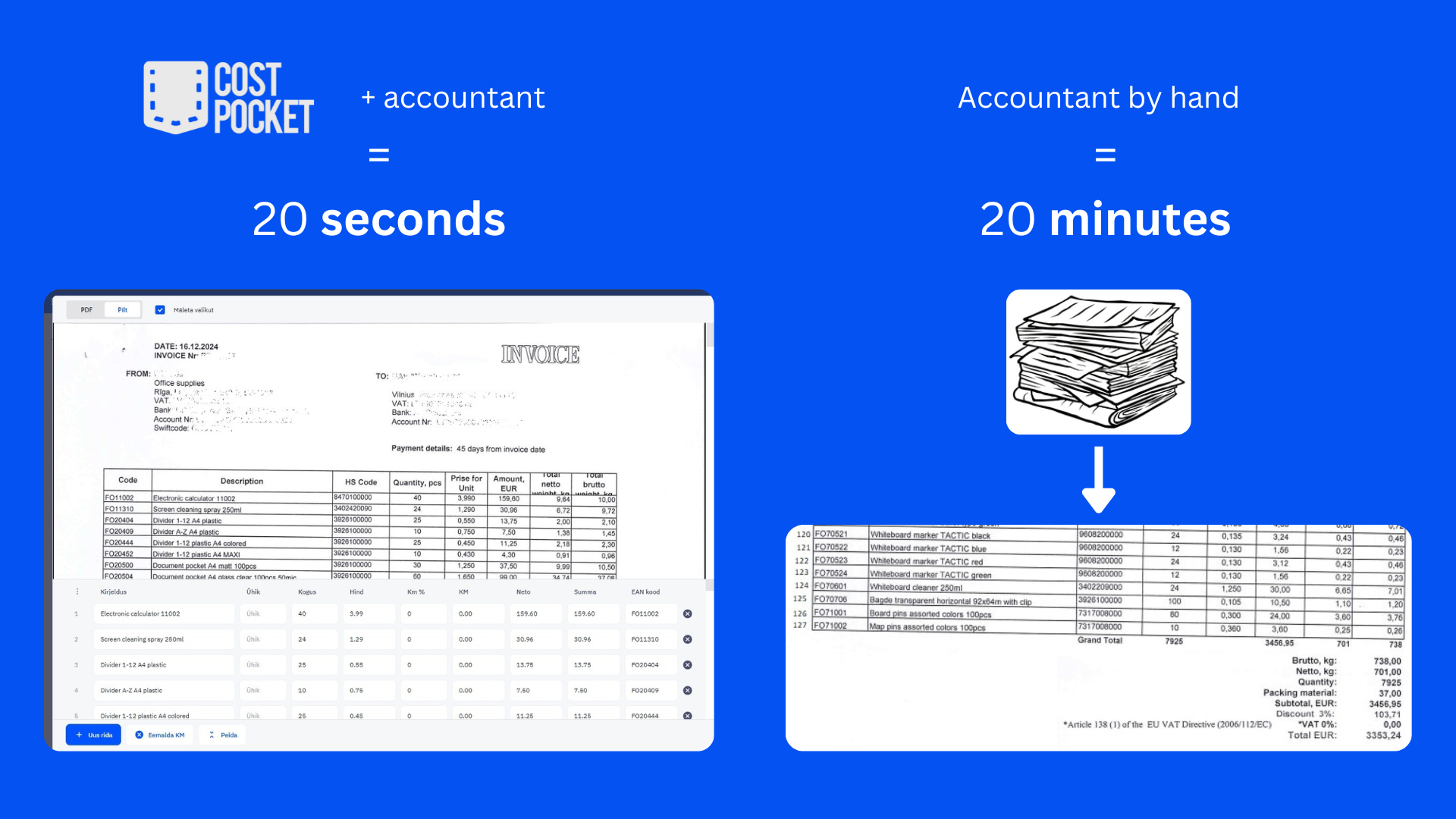
Example: how long would it take you to digitise 127 lines like here?
Who needs it?
For example, companies that have a warehouse. In this case, it is often necessary to know how much product is in stock. And to do this, you need to get the quantities of products from the purchase invoices into the accounting software.
The reason tends to depend on the accountant's judgement and varies between companies. In some cases, there may also be different items on the invoices, which would need to be differentiated by product.
How much does it cost?
Nothing. The service is included in CostPocket's standard pricing.
What can it do?
- Digitise product name, code, unit, VAT and all amounts.
- Works on both receipts and invoices (receipts lines can be turned off if not needed).
- Calculate rounding, discounts and other surcharges.
- Digitize from one to 127 lines. Maybe even more.
- Reduce the amount of painkillers that would be needed without CostPocket.
How does it work?
We put together the sweetest bits:
- AI systems
- Our internal machine learning
- Our scripts, with 13 832 different ways to find and calculate rows
Before finalizing, we validate all the rows, check the calculations, and add rounding or discounts where necessary.
So, does it work?
It totally works! CostPocket already digitises more than 45 000 documents with rows, 565 000 without. More than 700 companies have activated this option.
On average it takes about 7 seconds to digitise a document with lines. A few seconds longer than usual, but, you know, good things are worth the wait.
Automated Posting
We also have a feature called Automated Posting, where we assign articles, VAT codes and else automatically to all lines. Tailored to the needs of each company, powered by machine learning. More here: https://costpocket.com/en/blog/automated-posting-live
How to get started?
In the CostPocket app go to settings, select "Manage subscription" and activate "Digitise item lines".
You can also choose whether or not to digitise lines on receipts ("For invoices only"):
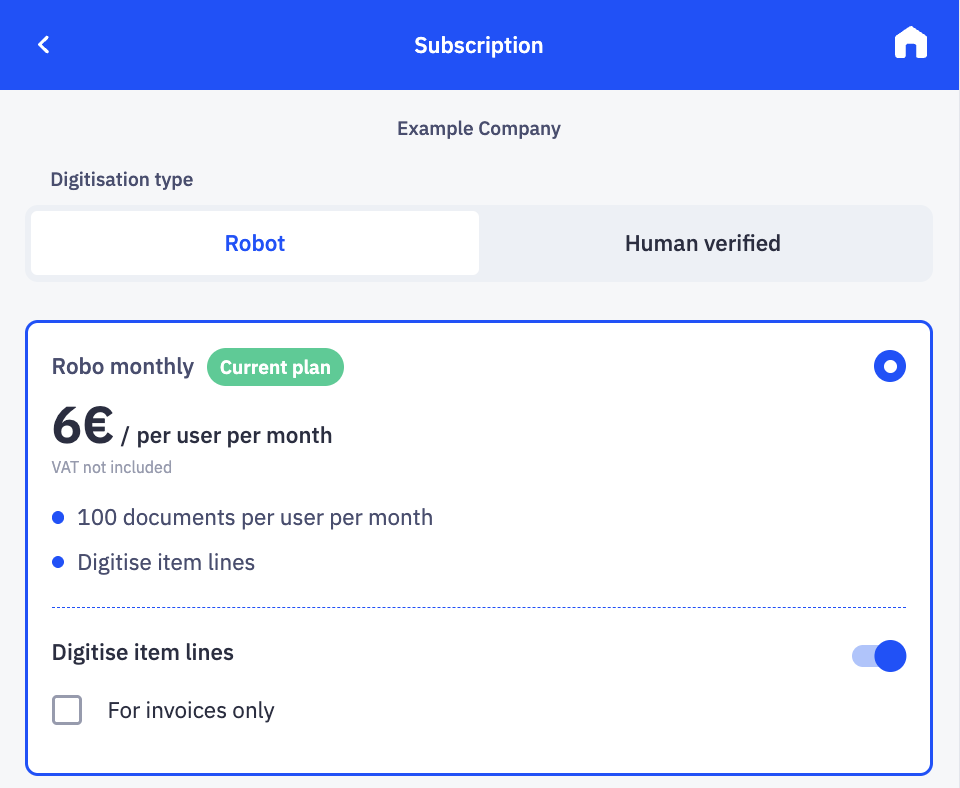
And that's it! Start digitising invoice lines today, save time, reduce errors and keep your inventory or accounts in perfect order - all at no extra cost. Happy digitising!
Psst! You can leave feedback here: ats@costpocket.ee